I’m Michael—an AI systems expert who designs and integrates multi-agent workforces into real business operations.
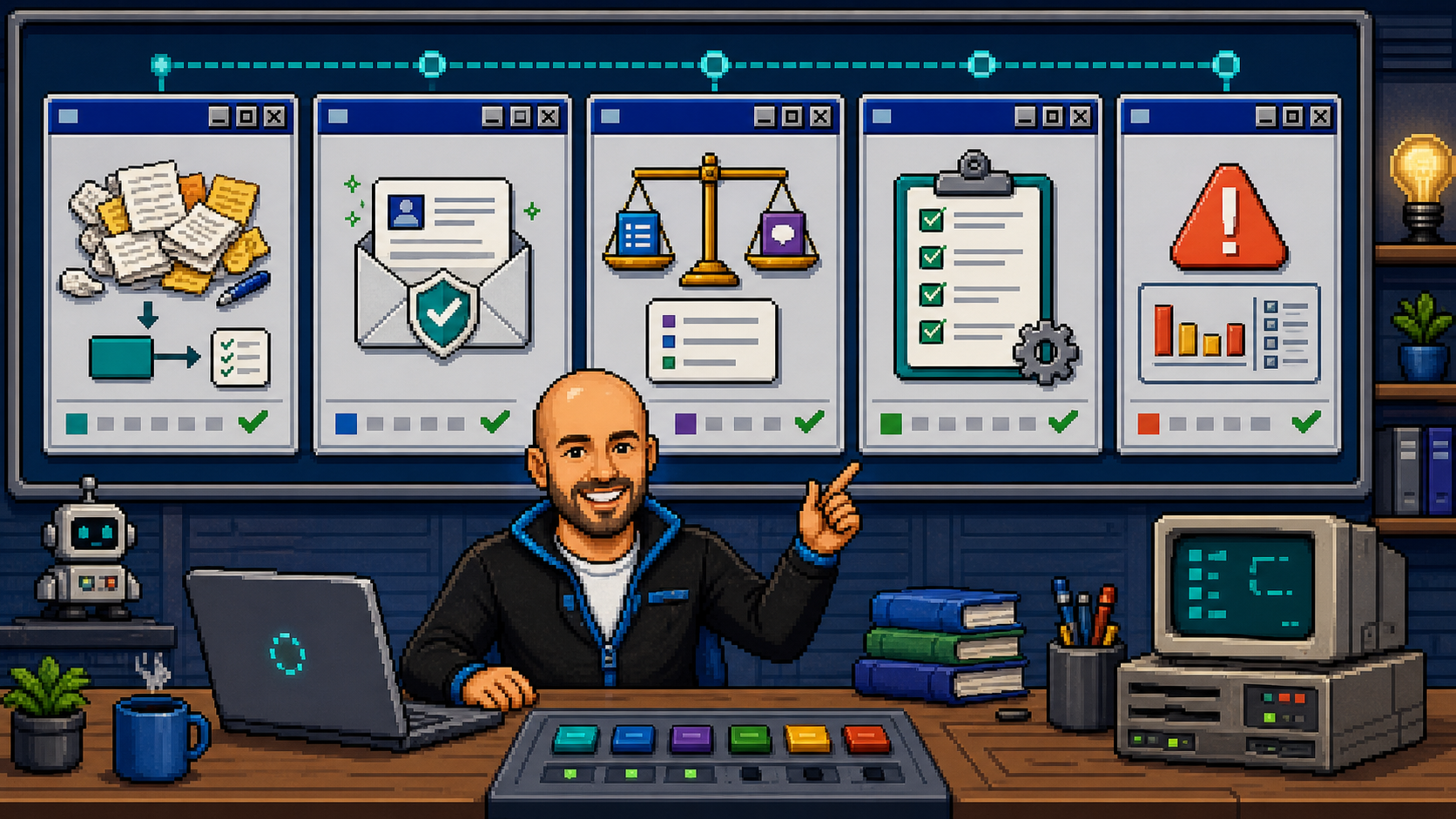
I configure role-based AI employees for sales, operations, finance and support. Each gets a job, tools, memory, approval limits, escalation rules and proof of work—so the business keeps moving with you in control.
AI employeesNamed roles for sales, operations, finance, support and follow-up.Agent control planeShared memory, tools, schedules, handoffs and visibility.Governed executionApproval gates, escalation rules, receipts and human control.
Built in real operations
At All Electric Homes I run this model across sales, operations, finance, admin and reporting: multiple agents, connected systems, visible handoffs, human approvals and receipts.
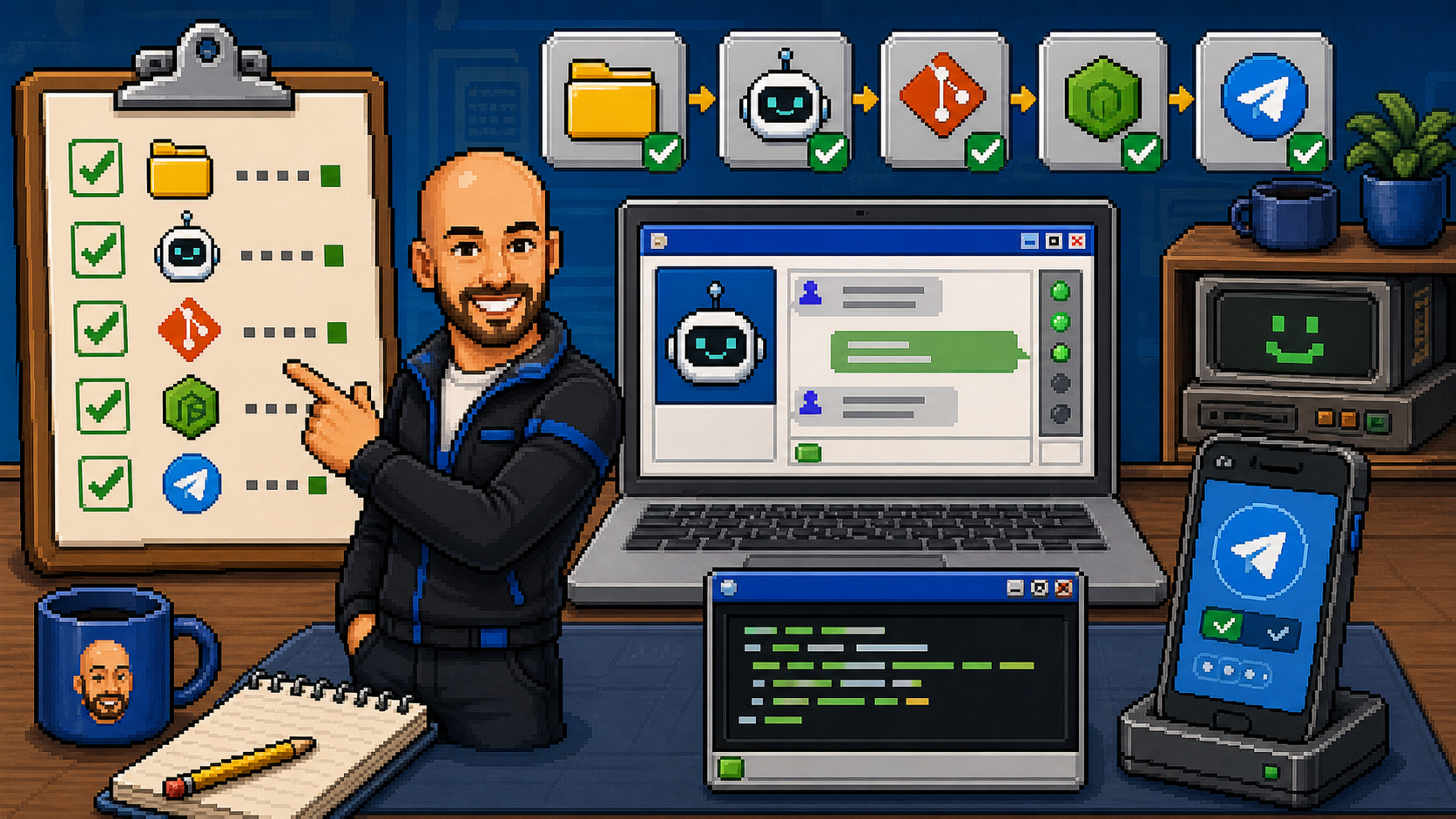
Ready. Assign a business function.AGENT TEAM: ONLINEHUMAN: IN CONTROLRECEIPTS: ON
Programs
Applications hidden until release. Public webapps, games, demos, and internal tools are hidden until they are rebuilt to the MICHAEL OS 89 style guide and ready for public release.
Tools & Resources - Shipped Artifacts
Tools & Resources
Useful extras: templates, guides, small products and education pieces I have put together along the way.
EDUCATION ARTIFACT
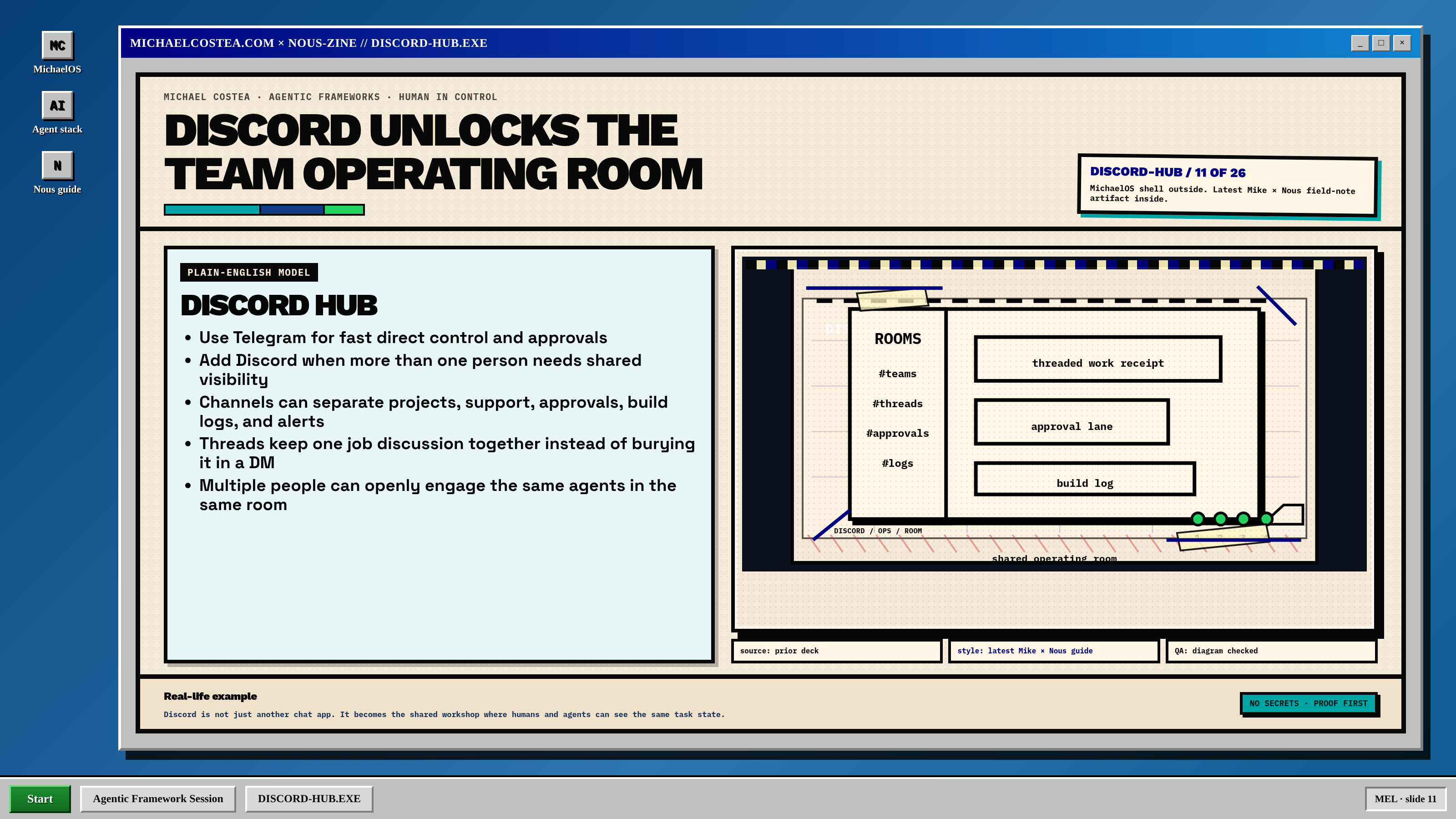
Agentic Framework SessionHermes, safe agent setup, shared memory, and Discord as a visible team operating room.
SHIPPED PRODUCT
Freelancer Client Admin Starter KitTrack one lead, agreed scope, delivery, invoice, payment, and follow-up in editable files.
I’m a Melbourne-based AI systems expert and Head of Tech, AI & Systems at All Electric Homes. I design, integrate and operate multi-agent systems across sales, operations, finance, customer support, reporting and internal software.
My work joins model reasoning, business systems, data, automation, memory, governance and human approvals into one operating layer. I take agents beyond demos and configure them as dependable AI employees with clear responsibilities, tools, limits, escalation paths and proof of work.
What I specialise in
Agent architecture, role design and multi-agent orchestration.
Integrating agents with CRM, finance, communications, job-management and reporting systems.
Model and tool routing, shared memory, schedules and structured handoffs.
Human approval boundaries, escalation rules, observability and execution receipts.
Turning agent prototypes into governed systems that teams can operate and trust.
Resume.doc - Michael Costea
Michael Costea
Head of Tech, AI & Systems · AI enablement · business systems · transformation · workflow automation
Practical AI enablement and business-systems leader who translates operational problems into clear requirements, receipt-backed workflows and applications, adoption controls, documentation, and operator handover.
Current Head of Tech, AI & Systems across a multi-brand electrical and energy-services group. Functional ownership of websites, lead flow, CRM and customer-journey systems, digital infrastructure, reporting, and automation began in mid-2023.
Current AEH evidence spans 84,400+ recorded workflow events, 5,955 productive outputs, 795 unique attributed CRM deal IDs, and A$1.97M in associated current Won/Open pipeline.
Best fit: AI Enablement Lead · AI Execution & Adoption Lead · Business Systems & Automation Lead · AI Transformation Manager
Current AEH Operating Impact · Evidence as at early August 2026
795unique automation or agent-assisted Pipedrive deal IDsA$1.97Massociated current Won/Open pipeline—not AI-attributed revenue251 hmodelled cumulative operational capacity since late March 2026
CRM · FIELD SERVICE · FINANCE · COMMUNICATIONS · CONTROL
Delivery: connected Pipedrive, simPRO, Microsoft Graph, n8n, Cloud Run, customer intake, call logging, council imports, job reconciliation, sales planning, compliance, reporting, and role-specific tools.
Measured scale: 84,400+ runtime events, 5,955 productive outputs, and 795 deduplicated automation or agent-assisted Pipedrive deal IDs.
Business context: 67 attributed deals worth A$868k are Won and 158 worth A$1.103M remain Open—A$1.97M associated pipeline, not claimed as AI-attributed revenue.
02
Knowledge and process operations at Optus scale
KNOWLEDGE ARCHITECTURE · PROCESS REDESIGN · TRAINING · CHANGE
Problem: large frontline teams faced duplicate processes, knowledge-search friction, inconsistent support and avoidable ticket volume.
System: maintained knowledge bases, redesigned processes and reporting, improved credit-policy workflows, and delivered communications, training and change support.
Proof: 352 stores, 5,000+ employees, 500,000 monthly knowledge visits and a recorded 74% increase in work outputs over 12 months.
Problem: useful AI work breaks down when tools, context, ownership, failures and approvals are invisible.
System: multi-agent workflows across several environments, with n8n orchestration, hardened Python logic, shared project state, schedules, watchdogs, logs, dashboards, completion receipts and explicit human approval for risky actions.
Operating principle: automate repeatable work, keep judgment with people, fail closed when evidence or permission is missing, and measure the result.
Role-Ready Capabilities
Business discovery & requirementsRun discovery, map processes and owners, identify failure cost, document requirements, prioritise by value/risk, and turn unclear requests into practical solution briefs.
Vertical full-stack app deliveryShip UX/frontend, backend/API, data, integrations, automation, deployment, observability and operator handover as one business system.
Agent harness & model routingOperate Hermes Agent, OpenAI Codex and APIs, Anthropic Claude and local LLMs; route by quality, privacy, latency, context, capacity and cost with observable fallbacks.
Marketing technology & lead operationsOwn websites, lead capture, routing, qualification, CRM flow, lifecycle follow-up, conversion paths, analytics, reviews, IVR and chatbot touchpoints.
Knowledge & adoptionDesign source-of-truth structures, SOPs, training, playbooks and support loops that help frontline staff and leaders adopt new tools confidently.
Governance & visibilityUse dashboards, audit trails, exception reporting, approval gates, human-in-the-loop controls and fail-closed rules so automation stays measurable and trustworthy.
Experience
Business Systems, Lead Flow & Digital Infrastructure — Expanded Scope
Mid-2023 - Present · Want A Sparky / Want A Heat Pump / All Electric Homes
Owned the operating layer connecting websites, lead capture, CRM and lead routing, customer contact, review automation, reporting visibility, internal tooling and AI-enabled workflows across the group.
Chronology note: this functional ownership ran across the formal Electrician, Sales Manager, Business Development & Marketing Manager, and Head of Tech roles below.
Head of Tech, AI & Systems — All Electric Homes
Feb 2026 - Present · Melbourne · On-site
Lead technology, automation, AI and growth systems across a multi-brand electrical and energy-services group. Architected an operating layer across CRM intake, customer communications, council imports, call logging, job reconciliation, sales planning, compliance, reporting, and internal software.
Measured context: 84,400+ recorded events, 5,955 productive outputs, 795 unique attributed Pipedrive IDs, and A$1.97M in associated Won/Open pipeline. Modelled 251 cumulative hours of released capacity; recurring workflows annualise to approximately 735 hours.
Business Development & Marketing Manager — Want A Heat Pump / Want A Sparky / All Electric Homes
Feb 2024 - Apr 2026 · Australia
Drove B2B and partner relations, revenue activity, acquisition and retention, digital strategy, websites, user-metric analysis, lead pathways, IVR changes, review automation, chatbots, campaigns, partner programs and community education.
Sales Manager — Want A Heat Pump
Nov 2023 - Apr 2026 · Melbourne
Managed authorised-retailer relationships and heat-pump upgrades across residential and commercial sectors under the Victorian Energy Upgrade Program. Owned CRM-driven sales activity, conversion flow, customer relationships and strategic marketing support.
Electrician — Want A Sparky
Apr 2023 - Jun 2024 · Mornington / South East Melbourne
Delivered domestic, commercial and emergency electrical services across Want A Sparky, Want A Charger, Want A Heat Pump and All Electric Homes. Supported the transition toward electrification and lower-carbon energy services.
Electrician — Wired By MJD / Ezzy R Electrics
Feb 2018 - Apr 2023 · Melbourne
Built broad field experience across residential/commercial maintenance, emergency faults, medical installations, custom builds, smart-home and A/V systems, data, security, networking, KNX wiring, C-Bus diagnosis and architectural projects exceeding $4M.
Operations Manager / Owner — Bloom Coffee Bar
Jul 2017 - Feb 2018 · Carlton
Helped establish and operate an owner/operator cafe, building hands-on experience in people management, operations, customer experience and small-business execution.
Optus — Sales Operations Support Manager / Process & Content Manager / Business Process Specialist / Retention Consultant
Aug 2010 - Jun 2017 · Melbourne
Managed retail support across 352 stores, maintained knowledge bases serving 5,000+ employees and 500,000 monthly visits, and led process redesign, credit-policy improvements, training, communications and large-scale change management.
Selected impact: 74% increase in work outputs over 12 months, hundreds of duplicate processes removed or rewritten, fewer support tickets, better knowledge search and redesigned operational reporting.
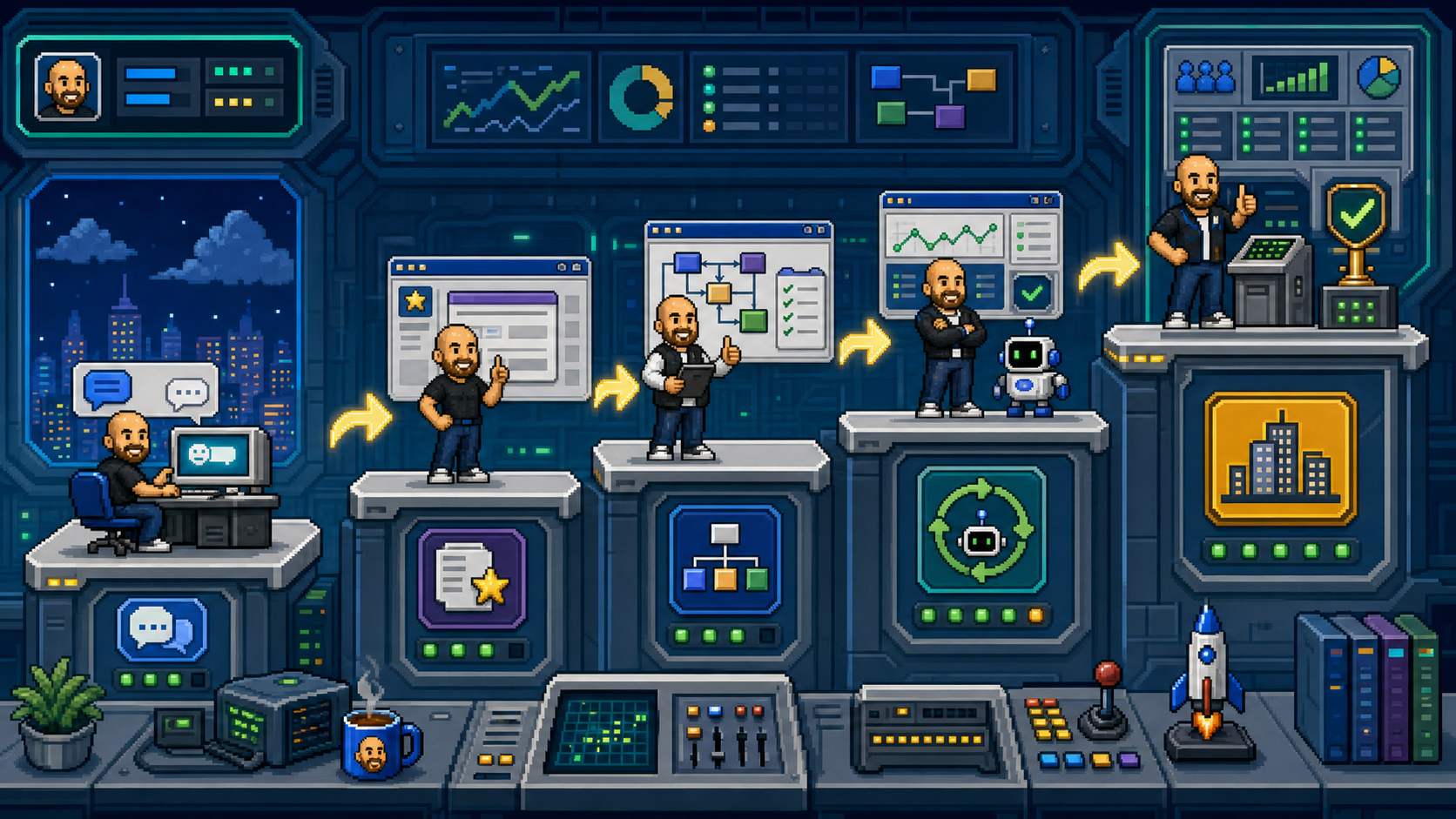
I configure AI employees around real business functions: sales follow-up, operations, finance checks, customer support, reporting and exception handling. Each role gets tools, memory, limits, handoffs and evidence.
At AEH: agentic systems help coordinate leads, customer communications, jobs, finance, reporting and staff handoffs while people keep control of judgment and approvals.
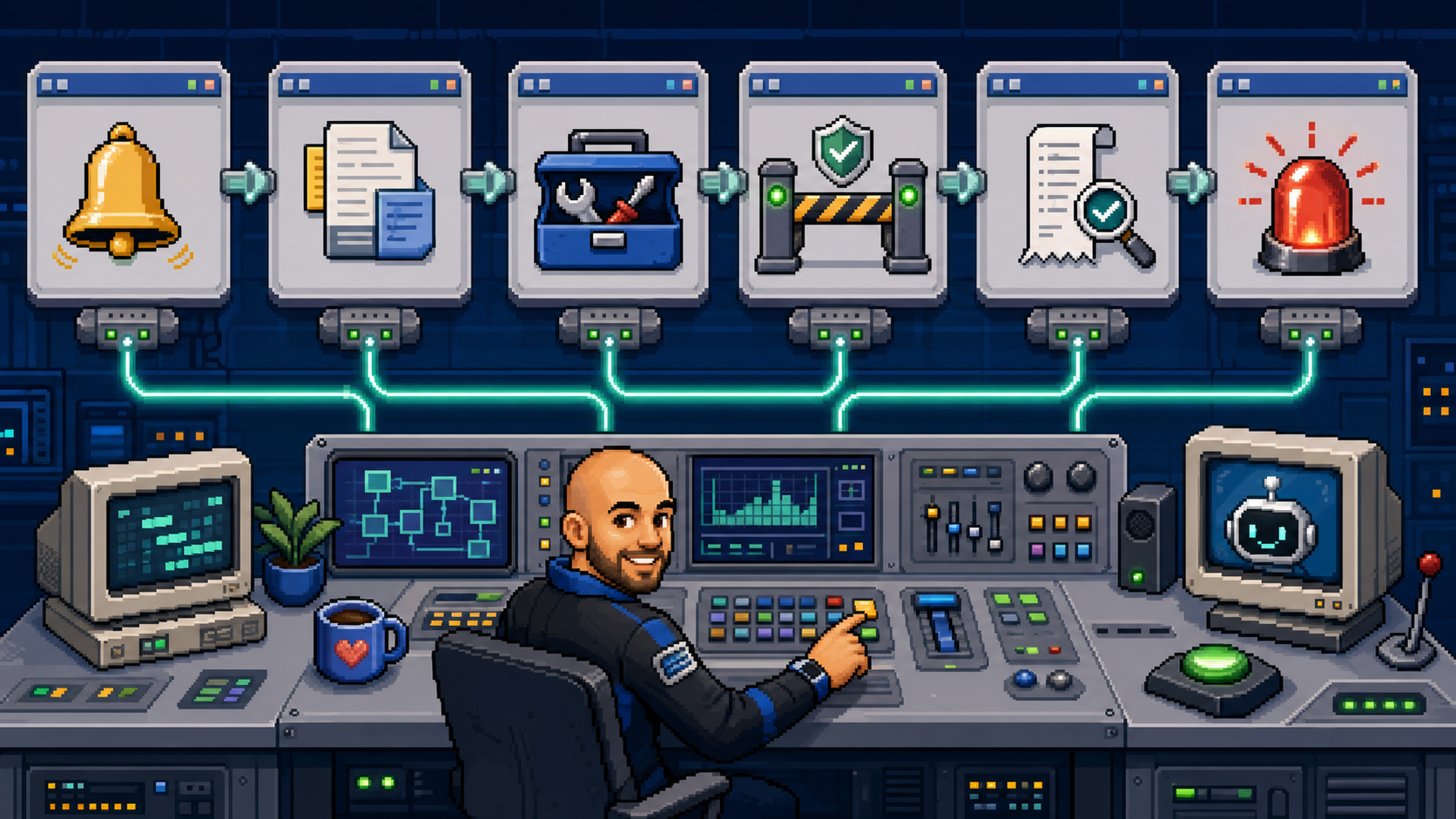
The configuration: role-based agents → shared context → bounded tools → scheduled work → escalation → human approval → receipts. One visible operating layer instead of isolated chat tabs.
Lead Response & Customer JourneyLead intake, qualification, quote prep, follow-up, review requests, warranty loops, and handoff summaries so fewer opportunities go stale.AI Agent WorkflowsOpenClaw/Hermes-style agents with bounded tools, Telegram accountability, logs, receipts, review gates, and fail-closed permission rules.Business AI Enablement EnvironmentStaff become AI-capable operators through shared context, repeatable prompts, visible handoffs, training packs, safe review loops, and practical examples from their own work.Dashboards & Exception RadarOperational views that surface overdue jobs, stale leads, missing payments, review gaps, bottlenecks, and evidence links — not vanity charts.CRM / Ops / Admin IntegrationClear workflow boundaries between sales, marketing, admin, finance, field teams, reporting, and customer communications.Knowledge & Process SystemsSOPs, repeated-question capture, training packs, internal answers, source-of-truth cleanup, and process simplification before automation.Multi-Brand Digital InfrastructureWebsites, landing paths, lead capture, analytics, content systems, release gates, and technical vendor/tool rationalisation across brands.
Useful AI Principles
Useful before impressiveClarity before automationHumans keep judgmentEvery workflow needs receiptsSmall proven loops first
How the first useful loop starts
1. Workflow mapPick one contained workflow before scaling: where the request starts, who owns each handoff, what data is trusted, and where the work currently stalls.2. Safe first loopBuild the smallest useful path with bounded tools, clear success criteria, and no customer, money, or quality impact without review.3. Evidence dashboardShow status, owner, source links, exceptions, and results. Human approval stays in the path until the loop earns trust.
Projects - Things I’ve Been Making
Project Shelf
Things I’ve been making
All 34 here
34 projects
NotTheOmiApp
Devices & hardware
An independent offline Omi companion for Android: live transcription, encrypted recordings, a searchable Library and wearable button controls. No account or cloud transcription.
Technical details
Public v0.4.13 / build 20 preview for Android 8+ ARM64. English models are bundled in the APK.
Real app screenshots, public source and a direct signed Android download. Hardware endurance and advanced control acceptance remain open.
Delivery scope:Android BLE audio capture, on-device speech recognition, encrypted recording history, playback/export, configurable wearable controls and signed APK distribution.
Tech stack:Android · Java/JNI · Bluetooth LE · Vosk · whisper.cpp · AES-GCM · Android Keystore · Gradle
A private Android voice companion linking phone or Omi wearable audio, on-device transcription and explicit Hermes task controls.
Technical details
On-device whisper.cpp recognition, encrypted phone transcripts and audio, an offline queue and certificate-pinned sync to a paired private PC. No cloud speech fallback.
Ambient transcripts stay local; spoken task proposals and explicit button commands use separate approval paths.
Build and installation verified. Continuous capture currently blocked by a local Whisper queue overload; wearable reliability and end-to-end task acceptance remain open.
Delivery scope:Android capture and BLE decoding, local speech recognition, encrypted storage, private PC sync, recovery boundaries and explicit voice-to-agent task handoff.
Tech stack:Android · Java/JNI · whisper.cpp · Vosk · Bluetooth LE · Android Keystore · Python HTTPS receiver · SQLite
local speech · Android · BLE · private sync · pilot
Field Kit / Modular EDC Cases
Devices & hardware
Modular print-in-place carry cases with captive hinges, sliding bolts and joining rotors, developed as editable CAD and native Bambu projects.
Technical details
Actual exported geometry checked for sampled motion, capture, interference and native slicer compatibility; matching TECH, TOOLS and LIGHT case variants.
Digital geometry and reference slices verified, not a physical product test. Payload fit, support removal, carry security and strength remain open.
Delivery scope:Parametric case geometry, captive lid and joining mechanisms, motion and mesh checks, native Bambu A1 mini projects, reference slicing and editable source.
Android HOME replacement that turns a phone home screen into a private live agent cockpit for conversations, work history, sessions, projects, files, screenshots, and health telemetry.
Technical details
Safe per-agent messaging, history and session previews ride over a bearer-authenticated Tailscale API with packaged offline fallback.
Version 3.0 APK, source and hashes were sealed; backend and Android builds passed. Real phone visual acceptance remains pending.
Delivery scope:Android HOME contract, agent selection, conversation and what-done views, session previews, project memory, actual artifact screenshots, safe file downloads, private API, offline fallback, responsive UI, Gradle verification, and release packaging.
Tech stack:Android Java · Android SDK HOME intents · Python HTTP API · Tailscale · bearer authentication · JSON/JSONL team state · systemd · Gradle unit tests
Local-first agent memory plane that imports durable history, isolates projects, suppresses stale state, and renders compact evidence with provenance, authority, lifecycle, and contradiction checks.
Technical details
Rosco compiles immutable project scenes, casts bounded semantic rays through typed relationships, and keeps unresolved contradiction shadows separate.
Append-only events remain canonical truth while SQLite/FTS and the responsive Rosco Console stay rebuildable projections.
Delivery scope:Hermes state import, typed event extraction, project identity and session affinity, authority review, contradiction handling, content-addressed artifacts, deterministic scene compilation, semantic broad phase, bounded graph bounces, compact context packs, provider integration, diagnostics, and local dashboard.
Local transcript-to-vertical-video engine that scores diverse moments, renders captioned clips, manages six-channel queues, binds rights and asset receipts, and prepares approval-gated publishing handoffs.
Technical details
Real FFmpeg E2E produces 9:16 clips, subject-framing decisions and hash-bound packets across six destinations.
Official YouTube and PeerTube metadata discovery is read-only; public publishing remains explicitly off.
Delivery scope:Timed transcript ingest, moment scoring and diversity, caption and hook rendering, optional subject focus, topic and rights discovery, lane-specific creative, SQLite account queues, approvals, immutable export packets, provider identity/readiness, cross-platform handoff bundles, metrics, responsive dashboard, and verification receipts.
Owner-device recovery and USB command centre for an M5StickC Plus2 with a broken display, exposing safe Bruce controls, fixed missions, capability truth, evidence, and reset paths.
Technical details
Maps 18 Bruce app surfaces and 72 structured controls while blocking upstream commands known to mutate pins, leak config, print invalid pointers, panic or lock the parser.
Commands serialize with bounded timeouts; disconnects and resets interrupt stale work instead of replaying it.
Delivery scope:Full flash backup, firmware selection and recovery, serial parser, loopback control API, 18-surface/72-control capability model, files and menu control, five fixed missions, fail-closed action gates, redacted SQLite evidence ledger, parsed results, Android companion baseline, responsive dashboard, browser QA, and owner-device verification.
Tech stack:ESP32/M5StickC Plus2 · Bruce firmware · Python 3.11 · USB serial · esptool · SQLite · HTML/CSS/JavaScript · Android/Kotlin fork · pytest · Playwright
Paper-only crypto microcap research arena for prospective signals, exact executable quote checks, strategy tournaments, multi-position accounting, wallet-PnL truth, and a hard kill switch.
Technical details
Paper Arena separates fast proxy marks from exact Jupiter quote receipts and forces a fresh executable quote on every manual sell.
No signing, private key, swap, order-submission or proven profitable live strategy is represented.
Delivery scope:Read-only Pump.fun, DexScreener, Virtuals and Jupiter observations, signal and lifecycle datasets, route and haircut gates, deterministic strategies, strategy leagues and holdouts, exact-quote paper broker, portfolio accounting, manual multi-position arena, loss controls, kill switch, reports, schedulers, wallet-PnL console, and falsifiable promotion gates.
Offline-ready Gnostic source guide: nine pre-1850 manuscript witnesses author the answers while thirteen historical Kindle records remain visibly separate commentary.
Technical details
Thirty-one primary passages power deterministic cited retrieval; twenty-six historical notes cover nineteen compatible Kindle titles without entering the primary answer layer.
Native, offline Kindle Paperwhite 2 home built on KOReader and SimpleUI: books, calculator, settings, six board games, 2048, KUAL controls, boot integration, and emergency rollback.
Technical details
Actual KOReader runtime interactions verified for home, calculator, game pack, 2048 swipe, navigation, and recovery.
Live participatory artwork combining a kinetic Canvas veil, refusal ritual, private local receipt, and privacy-constrained anonymous counter-public with cryptographic removal controls.
Technical details
Live Firebase Hosting and Realtime Database wall with public privacy rules, saved-key recovery, and cryptographic removal controls.
No accounts, analytics, popularity counts, or billing-dependent compute.
Delivery scope:Editorial interaction design, sourced six-system loop, private/public data separation, anonymous reduced records, Firebase rules, saved-key removal, CSP, deterministic visual QA, and public deployment.
Local Windows and Android control system for the discontinued Thalmic Myo armband: direct Bluetooth LE, 8-channel EMG and IMU telemetry, REST-paired gesture training, local classification, and fail-closed action mapping.
Technical details
Direct Bluetooth LE without the original Myo dongle; startup, reconnect, edit, and failure paths remain disarmed.
Hermes Windows/WSL computer-use integration for exact-window capture and UIAutomation input in the background: no cursor movement, no focus steal by default, and verified readback.
Technical details
WSL auto-detects and launches the active Windows user's cua-driver process so UIAutomation and capture run inside the real desktop session.
Background-first delivery escalates only after structured no-op evidence; each action can recapture the target for verified state readback.
Delivery scope:WSL driver discovery, exact-window routing, accessibility snapshots, background input delivery, capture/readback verification, escalation signals, structured health diagnostics, provider-neutral image results, tests, and public documentation.
UIAutomation · WSL · no focus steal · verified readback
LEGO Mario Hardware + Asset Mapping
Device lab
Owner-device interoperability lab mapping the CC26x2R1 family, 8 MiB SPI NOR geometry, TI OAD containers, BLE event surfaces, and the 910-entry audio/display asset directory.
Technical details
Decoded 8-kHz PCM and 96×80 RGB565 assets; rebuilt a same-size offline Hermes audio replacement without touching a figure.
Owner-device BLE HCI baseline captured normal app traffic; no device write or proprietary redistribution.
Delivery scope:Public-source PCB mapping, firmware CRC and signed-image analysis, 8 MiB flash geometry, BLE HCI baseline, 910-entry asset directory parsing, PCM/RGB565 decoding, and offline replacement proof.
Tech stack:Python · TI OAD · BLE ATT/HCI · firmware parsing · PCM/RGB565 tooling · evidence-led HTML reports
Local-first coordination package for teams of AI agents: shared mailboxes, handoffs, visible receipts, and a Control Radar for NOW, NEXT, BLOCKED, STALE, and UNKNOWN project state.
Technical details
Built to make overnight/local agents visible instead of silent.
Includes architecture, bootstrap flow, install docs, examples, and release notes.
Local package path: automation/multi-agent-control-kit.
Delivery scope:Machine and agent discovery, transport registries, six local transports, append-only project/activity state, relay and mailbox dispatch, plus Control Radar collectors, exact next gates, staleness warnings, and provenance drill-downs.
Tech stack:Python CLI · JSONL and SQLite state · local APIs · HTML/CSS/JavaScript control surface · shell/bootstrap scripts · pytest · Playwright · Hermes/OpenClaw/Claude Code/Codex local transports
Live guarded Victoria-first quote service for source-backed hot-water VEECs, solar and battery STCs, approved-product evidence, and fail-closed unsupported paths.
Technical details
Exact promoted VEU and CEC product evidence gates numeric hot-water VEECs, solar STCs, and battery STCs.
Unknown, stale, incomplete, and unsupported paths withhold numbers instead of guessing.
Education and enablement deck explaining Hermes, safe agent setup, shared memory, Discord/team rooms, review gates, and how businesses can use agents without silent risk.
Technical details
Live deck preview is built into this portfolio.
Supports client-facing AI education and onboarding.
Delivery scope:Interactive browser presentation and downloadable PDF covering agent concepts, Hermes setup, model access, shared memory, Discord operating rooms, permissions, review gates, and practical business examples.
Tech stack:Semantic HTML · CSS · inline SVG diagrams · vanilla JavaScript · Node.js build scripts · Playwright/Chromium PDF rendering
Repo-first discovery CLI and Agent Skill: find, inspect and score existing software before deciding what to reuse or build.
Technical details
A dependency-free Python CLI and portable Agent Skill. Searches local code, GitHub, PyPI, npm, crates.io and Hugging Face without executing candidates during normal discovery.
Records use-as-library, fork, selective-reuse, reject or build-clean; insufficient evidence stays inconclusive.
Published GitHub release: v0.7.0. Requirement-aware v0.8.0 is available in source and remains unreleased.
Delivery scope:Bounded local-workspace, GitHub, PyPI, npm, crates.io and Hugging Face discovery; static inspection, evidence scoring, explicit reuse decisions, JSON/Markdown receipts, and app/dashboard/landing/report lane delivery gates.
Public BillPilot pilot surface backed by the private InvoicePipe automation system: Australian invoice intake, extraction, human review, exception handling, and accounting-ready exports.
Technical details
Local OCR and document-processing workflow.
Private commercial repo: five0nit/invoicepipe.
Delivery scope:Supplier-email and upload intake, Australian invoice schema validation, OCR extraction, preview, authentication, database persistence, health checks, and Excel/SharePoint/JSON/API export paths.
Two small public operator-safety repos: one pushes AI builders to discover the best existing base before greenfield work; the other adds a visible cursor-control countdown and hard UI-control rule.
Technical details
five0nit/repo-first-starter for base selection and entropy gate.
five0nit/cursor-covenant for visible mouse/keyboard control discipline.
Delivery scope:Repo/tool discovery and scoring, local-workspace search, maintainability entropy checks, portable agent instructions, install scripts, plus visible cursor leases with countdown, cancel, and narrowly scoped UI control.
Live, provenance-aware digital twin and media library with browser, API, and CLI surfaces for retrieving grounded Michael context, reusable visuals, confidence, feedback, and audit history.
Technical details
Public Mini Michael exposes 629 current images with semantic retrieval and catalog state; the broader system preserves evidence and uncertainty instead of inventing context.
Feedback, provenance, confidence, and audit records make corrections durable across interfaces.
Delivery scope:Source ingestion, profile and image-library interfaces, semantic retrieval, API/CLI access, confidence and provenance controls, feedback capture, audit history, Firebase deployment, and public portfolio mirror.
Pinned repository evidence into finished video: proof assets, narration, audiovisual QA and publication readback. Watch a completed example.
Technical details
Source-grounded production links each claim to a pinned repository revision, source files and bounded verification—not generic AI commentary.
Exact narration checks, rendered-frame and audio inspection, metadata gates and publication readback stay separate; a finished render is not a published post.
Completed example: an 18.3-second Cline v4.1.13 Short, grounded in commit 68ad354b52e8 and 33 independent static checks. Cline itself was not executed.
The final video matched its QA and publication receipts. YouTube publication and source-comment readback were verified on 23 August 2026; the portfolio hosts the verified production file.
Delivery scope:Research → pinned source → proof assets → narration and video → audiovisual QA → publication and readback receipts. LinkedIn and other channel workflows remain separate operating lanes.
Tech stack:Python · n8n · FFmpeg · local voice generation and transcription · JSON ledgers · YouTube publishing and analytics
Early-access AI operator marketplace and consultancy surface: buyers post a real outcome, operators show proof and pricing, and paid work starts only after scope, fit, and approval are confirmed.
marketplace · AI operators · approval-first checkout
AI Profile Sites
Agents & automation
n8n/Hermes profile-site generator that turns structured person/company inputs, evidence, screenshots, and source receipts into polished profile pages for clients, founders, and operators.
Technical details
Generates desktop/mobile previews and source-receipt artifacts.
Public repo: five0nit/ai-profile-sites.
Useful as a client-facing “AI website from real context” demo.
The live portfolio operating system itself: a Win95/Nous-zine showcase for AI education, project proof, demos, deck previews, intake, and repo cards, deployed through GitHub Pages.
Technical details
Current repo: five0nit/michaelcostea-com.
Acts as the public hub for the active builds below, with direct routes, mobile polish, screenshots, and proof links.
Recent focus: make the projects page read like a polished showcase wall rather than a hidden internal index.
portfolio · GitHub Pages · MICHAEL OS 89 · proof hub
No projects match that search or category.
Some of the work behind the projects
01 / MAKING WORK FLOW
AEH AI-enabled operating layer
Problem: CRM intake, customer communication, field-service jobs, finance actions, reporting, and compliance spread across brands and tools.
System: Pipedrive, simPRO, Microsoft Graph, n8n, Cloud Run, council imports, call logging, job reconciliation, sales planning, dashboards, and role-specific tools.
Decision: connect low-risk repeatable work while keeping named human approval, receipts, exception reporting, and fail-closed boundaries.
Ownership: discovery through implementation, deployment, observability, governance, documentation, adoption, and operator handover.
Impact: less double-handling, clearer ownership, faster follow-up, better exception visibility, and internal tools shaped around how the team really works.
Impact: less invisible automation, clearer handoffs, safer boundaries, and a much better chance of knowing whether the agent actually finished the job.
Strategic AI and workflow layer across sales, operations, finance, admin, reporting, customer experience, lead flow, and job completion.
Maps core workflows and handoffs.
Defines automation boundaries, approval gates, and escalation rules.
Turns fragmented work into measurable operating loops.
AI strategy · business systems · operating leverage
2. Agent Infrastructure & Shared Context
Personal and business agent stack using OpenClaw, Hermes, Telegram, dashboards, scheduled jobs, watchdogs, memory, and shared context across devices.
Visible task receipts instead of silent automation.
Shared memory/state so agents do not restart from zero.
Phone-first command path with reviewable outputs.
OpenClaw · Hermes · Telegram · memory · watchdogs
3. Customer Journey & Revenue Automation
AI-assisted customer and lead workflows: fast response, qualification, quote preparation, follow-up, stale-lead detection, review loops, and handoff summaries.
Lead intake → CRM context → next best action.
Quote/admin prep with missing-info flags.
Human approval before customer-impacting sends.
CRM · lead conversion · customer experience
4. Data Visibility & Exception Radar
Dashboard and reporting patterns that turn scattered operational data into clear action lists: overdue work, missing payments, stale leads, customer risks, and review gaps.
Exception-first reporting, not vanity dashboards.
Evidence links and audit trails for decisions.
Cleaner data capture at workflow source.
dashboards · KPI redesign · exception surfacing
Case Study - Michael Costea
Case study loaded inside MICHAEL OS.DIRECT ROUTE PRESERVED
New Repo - Brief2Ship
Brief2Ship: find the right base before you build
Stop AI coding agents rebuilding software that already exists.
Brief2Ship is a dependency-free Python discovery CLI and portable Agent Skill. It searches local code and public ecosystems, inspects and scores real candidates, then records an evidence-backed reuse or build decision.
Published release: v0.7.0. Requirement-aware v0.8.0 is available in the source checkout and remains unreleased. GitHub release and PyPI publication are separate.
Compare a bounded local workspace with relevant repositories and package registries. Normal discovery inspects candidates without executing their code.
repo-first · static inspectionMake a supported decision
Score fit, maintenance, license, security, tests and reuse cost. Missing evidence stays unknown; an inconclusive result is not permission to build from scratch.
candidate scoring · visible uncertaintyKeep the evidence
JSON and Markdown receipts retain candidate identity, source health, checks, decision and next action. The Agent Skill carries the workflow into implementation.
portable Agent Skill · proof receipts
Start a discovery:brief2ship discover "Python retry library with exponential backoff" --sources github,pypi --summary
Find what already exists. Choose with evidence. Build only what is missing.
A dependency-free Python discovery CLI plus portable Agent Skill for repo-first base selection. Brief2Ship compares existing code before implementation, rather than treating every request as a blank-file exercise.
What the repo does
Searches local code, GitHub, PyPI, npm, crates.io and Hugging Face. Bounded static inspection checks manifests, licenses, dependencies, source, tests, CI and documentation without executing candidates.
local + public discovery · evidence scoringWhy it helps
An explicit reuse decision reduces unnecessary greenfield work. Unknown checks stay unknown, and insufficient evidence produces an inconclusive result instead of a confident guess.
less duplicate code · inspectable decisionsWhat is inside the repo
The discovery CLI, portable Agent Skill, provider integrations, scoring and inspection logic, JSON/Markdown receipts, delivery templates and automated tests.
Python standard library · Agent Skill · proof receipts
The operating loop
1. Brief: state the target, runtime, constraints and required evidence.
2. Search: inspect a bounded local workspace and relevant public ecosystems.
4. Decide: record use-as-library, fork, selective-reuse, reject or build-clean. Preserve inconclusive when evidence is insufficient.
5. Ship: implement against the selected base, run actual verification and retain proof receipts.
Use it when
Selecting a repository, package, template or local build base for an app, dashboard, landing page or reusable automation. Tiny edits in a known repository need only scoped inspection.
new bases · existing tools · deliberate reuseRelease boundary
v0.7.0 is the published GitHub release. The v0.8.0 source update adds requirement-aware decisions, retry checkpoints and a simpler first run; it remains unreleased.
published tag ≠ development checkoutWhy it belongs here
It turns repository research into an executable part of an agent workflow: a real command, explicit decisions and retained evidence rather than a checklist the agent can skip.
agent integration · engineering judgment
Receipt shape:candidate identity + source health + evidence + checks + decision + incomplete reasons + next action
Delivery gates remain
The Agent Skill retains app, dashboard, landing-page and Report / Document lanes, plus a maintainability gate and anti-slop UI finish.
implementation · visual finish · report laneReports follow the evidence
For an executive summary, QA report, audit or handoff, use source-first reasoning: sources are listed, evidence is separated from assumptions, and formatting is skimmable.
Detailed explainer loaded.EVIDENCE BEFORE IMPLEMENTATION
RebateSignal - Live Guarded Quote Service
RebateSignal
A Victoria-first rebate intelligence API for VEU / VEEC, STC, and Solar Victoria payout ranges.
This project turns messy rebate calculators, certificate price feeds, decommissioning rules, approved-product checks, and state/federal scheme conditions into one line-item quote response that installers and marketplaces can test before a job is submitted.
Live guarded status: The latest Firebase calculator and API are deployed with public_quote_ready=true. The promoted catalog contains 42,012 source-backed approved products. Exact VEU product, postcode, existing-fuel, and decommissioning evidence now resolve source-backed hot-water VEECs; exact CEC evidence gates solar and battery STCs. Activity 6 VEECs, hot-water STCs, and unverified Solar Victoria customer amounts remain withheld.
Shape the production POST /api/v1/quotes response: eligibility, line-item scheme estimates, payout low/high, blockers, warnings, evidence checklist, and source versions.
API contract · deterministic responseRule packs
House the VEC/VEEC calculator resources, VEU activity requirements, STC calculator resources, approved-product logic, and effective-date versions in reviewable rules.
calculator parity · versioned rulesMarket payouts
Keep certificate prices and trader payout amounts separate from eligibility logic, with provider, timestamp, and confidence so old quotes remain auditable.
VEEC price · STC price · trader terms
First activity pack
1. Heat pump hot water: model replacement/decommissioning inputs, approved product status, activity date, postcode, and required evidence.
2. VEU / VEEC: return guarded source-backed metadata and withhold numeric certificate counts until exact official calculator/evidence parity is present.
3. STC: calculate the federal certificate line item separately so the API can show stacked value without hiding assumptions.
4. Solar Victoria: add grant/rebate/loan eligibility as a separate program line where relevant, not as certificate value.
An AI employee is not a chatbot with a job title. It is a bounded role inside an operating system: defined responsibilities, a source of truth, approved tools, durable memory, a schedule, an approval boundary, an escalation path and proof of work.
I configure these roles around real functions—sales follow-up, operations coordination, finance checks, customer support, reporting and exception handling—then connect them through a visible control plane. Humans keep judgment, customer trust, money, safety and final approval.
HermesPlanning and execution layer: coding, repo edits, scheduled jobs, local APIs, research, verification, memory retrieval, and Telegram updates.
Master ControlVisibility layer: projects, live services, scheduled tasks, all sessions, memory, Obsidian notes, and agent engagement from one cockpit.
Human Review LayerTrust layer: approval gates, evidence, audit trails, fail-closed workflows, exception surfacing, and handoff back to a person.
Current daily setup: Lenovo Legion control hub → Work MacBook Pro + four Work Mac Minis → 25 visible agents controllable from one PC. Click the diagram to open it full-size.
Concerns and pitfalls to respect
Silent failure: agents can look busy while missing the real business outcome. Track inputs, outputs, receipts, and verification.
Tool overreach: never let an agent delete, spend, message customers, or change systems without explicit permission and rollback paths.
Context rot: long chats drift. Use memory deliberately, compact sessions, and keep source-of-truth docs clean.
Model cost and rate limits: long tool loops burn tokens. Monitor usage and pick the cheapest model that can reason well enough for the job.
Trust gap: if a human cannot see what happened, why it happened, and what changed, the workflow is not production-ready.
What the AI team can own
A configured agent team can watch queues, remember decisions, prepare work, chase loose ends, run checks, draft follow-up, surface exceptions and produce receipts. Not one magic prompt: a monitored workforce that keeps business workflows moving beside the human team.
Configuration rules
Start with one painful repeatable workflow, not a vague “automate everything” goal.
Give the agent bounded tools, test data, and a clear success definition.
Make every workflow observable: logs, Telegram updates, dashboard state, and final receipts.
Keep humans on judgment, customer trust, finance, safety, legal, quality, and edge cases.
Scale only after the workflow proves it saves time without creating hidden risk.
AI Help - Start Here
AI Help: Everyday Starter Guides
This is the starting point for people who want to get more out of AI without drowning in jargon, hype, or unsafe shortcuts. Start with one useful workflow, learn the limits, then build confidence safely.
Start useful: pick one repeated task, test with harmless data, and keep humans approving anything risky.
NEW RESOURCE
Agentic Framework Session
A MichaelOS × Nous-zine presentation explaining Hermes, safe agent setup, shared memory, client rollout, monitoring, and Discord server comms for teams.
A practical map for moving from "I use ChatGPT sometimes" to safe, repeatable AI workflows with clear inputs, tools, approvals, evidence, and escalation rules.
For beginnersLearn what agents are, try five low-risk tutorials, and save your first reusable prompt.For business ownersFind repeated admin, missed follow-ups, and safe pilots before buying tools or access.For buildersDesign workflows with sources, tools, logs, approval gates, and rollback plans from day one.
Learn what agents do
→
Try copy/paste tutorials
→
Install one agent
→
Use safely
Plain English version: an AI agent is a helper that can use tools. It can read, write, search, run commands, and remember context — but it still needs clear instructions and human review.
AI Knowledgebase - Agentic Workflows
Agentic Workflow Knowledgebase
Best-in-class AI adoption starts with boring clarity: the job, the source of truth, the tool boundary, the approval gate, the evidence trail, and the next action.
OPERATING MAP
From prompt to operating layer
This knowledgebase helps users choose the right first workflow, understand agent parts, avoid unsafe shortcuts, and turn useful prompts into repeatable agentic systems.
Command bank: copy/paste agent instructions
Dropdown copy/paste commands: open the pattern you need, copy the block, then paste it into your agent before it starts work. These are the strongest operating modifications and rules from the live agent stack: memory first, WSL-first local work where it fits, end-to-end verification, handoff receipts, and safety gates.
High-autonomy operator upgradeMake the agent finish the job, not just suggest steps.
You are my high-autonomy AI operator.

Default behavior:
- Inspect the current state before acting.
- Make a short plan, then do the work end-to-end.
- Use tools when they improve accuracy.
- Verify the result with real checks, not guesses.
- Do not stop at a stub, outline, or "next steps" if you can safely complete it now.
- Do the work end-to-end, then report done, verified, pending, blocked.

Before risky actions, ask first. Risky means: public posting, sending messages, deleting files, spending money, changing customer records, rotating secrets, or touching production systems.
Install the memory layer habitStop the agent forgetting identity, preferences, decisions, and project state.
Before meaningful work, load memory in this order:
1. Startup identity: who you are, operating style, and safety rules.
2. User preferences: tone, approval rules, tools, and recurring constraints.
3. Project memory: current state, known pitfalls, decisions, and open blockers.
4. Shared-agent memory: recent handoffs, receipts, and changes from other agents.
5. Human notes: Obsidian/local notes that explain the why behind the work.

After meaningful work, write a durable receipt:
- what changed
- files/settings touched
- commands/checks run
- verified result
- blockers or risks
- next action

Use Agent-to-agent memory for machine handoffs and a Human memory layer for readable notes.
WSL-first local setupPreferred Windows path for serious local agent work.
For Windows development, prefer WSL Ubuntu unless the tool specifically requires native Windows.

Rules:
- Keep repos in the Linux home directory, not inside OneDrive or random Desktop folders.
- Install basics first: curl, git, python3, python3-venv, python3-pip, Node LTS if the workflow needs it.
- Run agent commands from the project folder inside WSL.
- Treat /mnt/c paths as Windows interop paths, useful for reading files but slower for heavy repo work.
- Verify with version checks before installing extra packages.

Starter commands:
wsl --install -d Ubuntu
sudo apt update
sudo apt install -y curl git python3 python3-venv python3-pip
node --version
python3 --version
Shared-agent handoff receiptMake multi-agent work visible instead of chaotic.
When multiple agents touch the same project, use this handoff format:

Project:
Goal:
Current status: done / in progress / blocked
Files changed:
Commands/checks run:
Decisions made:
Open risks:
What the next agent should do:
What the next agent should not touch:

Rules:
- Read recent handoffs before editing.
- Do not overwrite another agent's unstaged work.
- Verify the live/current state instead of trusting old notes.
- Keep public-facing or destructive actions behind human approval.
Safe workflow builderTurn one repeated task into a supervised agent workflow.
Build one supervised workflow for this repeated task:

Task:
Business goal:
Trigger:
Approved source of truth:
Allowed tools:
Forbidden actions:
Output format:
Human approval required before:
Evidence to save:
Escalate when:
Success metric:
Rollback plan:

Start with a dry run on harmless data. If it works three times manually, convert only the boring proven parts into a monitored workflow.
Customer journey exception radarFind missed follow-ups without letting AI make promises.
Review the customer journey and produce an exception report.

Look for:
- new enquiries without reply
- quotes waiting too long
- stale follow-ups
- overdue jobs or handovers
- invoices/payment reminders needing review
- review requests not sent
- upset or high-risk customer language

Return:
1. ranked issues
2. evidence/source for each issue
3. suggested next action
4. owner
5. draft message only if useful
6. items requiring human approval

Do not send messages, change records, promise pricing/timing, or publish anything.
Best modifications to add to any agent
Memory before workLoad identity, preferences, project state, shared-agent handoffs, and human notes before editing or deciding.Tool-backed accuracyCheck files, dates, versions, live pages, dashboards, or docs instead of answering from vibes.Receipts after workEvery meaningful run ends with changed files, commands, checks, verified state, blockers, and next action.Approval gatesDraft freely; ask before sending, deleting, publishing, spending, customer promises, or production changes.Agent-to-agent memoryUse Byterover-style/shared memory so agents see decisions, handoffs, and recent changes without asking the human again.Human memory layerUse Obsidian/local notes for the readable why: goals, decisions, SOPs, diagrams, and human-friendly project history.
Rules and guidelines that stop agents going sideways
Use the source of truth: if current facts matter, check the live system, docs, file, repo, calendar, or dashboard.
Prefer narrow scopes: one workflow, one safe folder, one owner, one approval gate, one success metric.
Keep secrets out: Never put secrets in memory, prompts, receipts, screenshots, or logs.
Fail closed: if data is missing, facts conflict, confidence is low, or the action affects trust/money/safety, stop and escalate.
Verify before claiming done: run the check, open the page, read the output, or produce the artifact.
Make memory useful: save durable preferences and procedures, not stale one-off task progress.
1. Agentic workflow maturity ladder
Level 0: ad hoc chatYou ask questions and copy answers manually. Useful for thinking, weak for repeatable work.Proof: none required.Level 1: reusable promptOne task has a saved prompt, expected input format, and clear output format.Proof: works three times manually.Level 2: supervised workflowAn agent can read one safe source, prepare the output, and wait for review.Proof: input, output, and approval captured.Level 3: monitored loopThe workflow runs on a trigger or schedule, reports status, catches exceptions, and escalates.Proof: logs, receipts, rollback path.Level 4: operating layerMultiple workflows share context, dashboards, memory, owners, and human review rules.Proof: measurable time saved and fewer misses.
2. Anatomy of a safe agentic workflow
TriggerWhat starts it: new email, uploaded file, calendar time, form submission, dashboard change, or human request.ContextThe approved source of truth: notes, CRM export, SOP, folder, website, transcript, inbox, or dashboard.ToolsWhat the agent may use: search, files, browser, spreadsheet, CRM, calendar, email draft, terminal, or API.BoundaryWhat needs approval: sending, deleting, publishing, spending, changing records, customer promises, and risky decisions.EvidenceWhat gets saved: input, output, source links, changes made, checks passed, owner, timestamp, and human approval.EscalationWhen it stops and asks: missing data, uncertain facts, low confidence, conflicting records, angry customer, or expensive action.
3. Workflow recipe library
Lead response assistantNew enquiry -> extract details -> check duplicates -> draft reply -> create follow-up task -> human approves send.Start metric: first response time.Quote prep assistantJob notes/photos -> missing-info checklist -> risk flags -> draft quote summary -> approval before customer send.Start metric: quote turnaround time.Inbox triageUnread emails -> urgency, owner, next action, stale items -> draft replies -> daily action list.Start metric: unresolved emails older than 48 hours.Weekly exception reportCRM/export/notes -> red flags -> stale leads -> decisions needed -> ranked actions with evidence.Start metric: issues found before customers chase.SOP maintainerRepeated questions -> draft SOP update -> link source docs -> approval -> publish clean answer.Start metric: repeat questions reduced.Customer journey coordinatorLead, booking, quote, job, invoice, review, warranty -> next touchpoint and owner.Start metric: missed follow-ups.
4. Safety gates before anything goes live
Risk area
Agent can do
Human must approve
Customers
Draft replies, summarise history, suggest next action.
Deleting, moving bulk files, changing live records, broad access.
Public channels
Draft posts, check tone, prepare assets.
Publishing, replying publicly, claims, guarantees, legal or safety advice.
5. Copy/paste workflow blueprint
Workflow name:

Business goal:

Trigger:

Input source:

Allowed tools:

Output format:

Approval required before:
- sending customer messages
- changing records
- spending money
- deleting files
- publishing publicly

Evidence to save:
- source used
- output created
- checks completed
- human approval
- final action taken

Escalate when:
- facts conflict
- data is missing
- customer is upset
- confidence is low
- action is risky
6. Glossary for getting started
AgentAn AI assistant that can plan steps and use tools, not just write text.ToolA capability the agent can use, such as files, browser, search, email draft, calendar, or terminal.ContextThe approved information the agent uses to avoid guessing.Human-in-the-loopA person reviews or approves before risky action happens.ReceiptEvidence that shows what happened, why, and what changed.RollbackThe plan for undoing or stopping a workflow if something goes wrong.
7. Readiness score
Green light: one owner, one clear trigger, one safe data source, one output format, one approval gate, one success metric.
Yellow light: unclear source of truth, too many systems, sensitive customer data, no rollback, or no person responsible.
Red light: "automate everything", broad account access, no approval gate, public/customer actions, money movement, or no way to prove what happened.
Best first move: choose one Level 1 reusable prompt, run it manually three times, then convert only the boring proven parts into a supervised workflow.
Agentic Framework Session: Hermes + Discord-ready team comms
New MichaelOS × Nous-zine resource for explaining how agentic systems work in plain English: Hermes profiles, safe tool boundaries, shared memory, client rollout, monitoring, and why a Discord server unlocks better multi-person visibility.
Use this when: someone needs to understand agentic workflows as a real operating layer, not a magic chatbot. The Discord section shows how shared server channels let multiple people openly engage the same agents with visible approvals and receipts.
IntroToAI.ppt - Website Preview
Intro to AI: slide preview
Preview the public AI Help starter deck inside the website. Use the arrows to move through the slides, or download the PDF for easy sharing.
Tip: keep this as a safe starter guide: learn the basics, test one boring repeat task, and keep human review on anything that affects real people.
Guide 1 - What is an AI agent?
What is an AI Agent?
Short answer: an AI agent is an AI assistant that can use tools to get work done, not just answer questions.
You ask a goal
→
Agent plans steps
→
Agent uses tools
→
You review result
Normal chatbot vs AI agent
Chatbot
Answers questions.
Mostly text in / text out.
You do the clicking, copying, saving, and checking.
AI Agent
Can break a goal into steps.
Can use tools like files, browser, terminal, search, memory, and calendars.
Can keep working until a task is complete, then show evidence.
What can an AI agent do?
DocumentsSummarise notes, rewrite rough drafts, create checklists, and prepare first-pass documents for review.
ResearchSearch sources, compare options, extract key trade-offs, and turn findings into a simple report.
AdminPrepare emails, follow-up lists, meeting notes, standard operating procedures, and handover summaries.
MemoryKeep track of preferences, project context, decisions, reusable workflows, and what changed last time.
ToolsRead files, create files, check websites, run safe commands, and bring back evidence instead of guesses.
BusinessSurface exceptions, reduce duplicate entry, prepare reporting, and flag work that needs human approval.
Real workflow examples
Email → CRM → Welcome → Follow-upRead a new enquiry email, extract name/contact/service/suburb, check for duplicates, enter the lead into a CRM, send an approved welcome email, schedule follow-ups until the customer replies, then hand the conversation to a human with a clean summary.Quote prep assistantRead job notes, photos, customer requirements, and pricing rules; prepare a draft quote pack; flag missing information; notify Telegram for approval; only send after human sign-off.Operations exception radarCheck dashboards and inboxes each morning, find stale leads, overdue jobs, missing payments, or review risks, then post a ranked action list with links and evidence.Knowledge-base maintainerWatch repeated staff questions, draft SOP updates, link source documents, ask for approval, and publish a cleaner internal answer so the next person does not ask again.Customer journey coordinatorTrack first touch, booking, quote, job completion, invoice, review request, and warranty follow-up so nothing falls between sales, admin, and field teams.Personal life adminSummarise bills, renewals, travel plans, reminders, emails, and documents into one Telegram briefing with tasks and due dates.
The power is the chain: read context → update systems → communicate → schedule next action → monitor for reply → escalate to a human when judgment or trust matters.
What it should not do without you
Spend money, delete files, send public messages, or change business systems without approval.
Make legal, medical, financial, safety, or employment decisions on its own.
Replace human judgment where customer trust, risk, quality, or approvals matter.
First proven prompt to try
I am new to AI agents. Explain what you can do in 5 bullet points, then ask me one simple question so we can try a safe first task.
Guide 5 - Your first safe AI workflow
Your First Safe AI Workflow
A beginner tutorial for turning one annoying repeat task into a reusable AI playbook.
Goal: do one useful workflow in about 30 minutes without giving the AI dangerous access. You will pick a low-risk task, give it examples, check the answer, then save the final prompt so you can reuse it.
Step 1 — choose a boring, safe task
Good first tasksSummarise meeting notes, rewrite an email draft, turn messy notes into a checklist, compare options, or make a simple SOP.Avoid on day oneCustomer databases, payments, deleting files, public posting, medical/legal/financial decisions, or anything that can hurt trust if wrong.Use fake or copied dataPaste a small sample into the chat. Remove passwords, private customer details, and anything you would not put in a training document.Define successWrite one sentence: “I want a clean checklist I can follow tomorrow” or “I want a polite email draft I can edit before sending.”
Step 2 — use this starter prompt
You are helping me build one safe repeatable workflow.
Task: [describe the boring task]
Input: [paste notes, transcript, email draft, or requirements]
Output format: [checklist / email draft / table / SOP]
Rules:
- Ask questions only if something critical is missing.
- Do not invent facts.
- Mark uncertain items as [check].
- Do not send, delete, buy, publish, or change systems.
- Give me a short final review checklist.
Step 3 — review like an operator, not a spectator
Accuracy passCheck names, dates, numbers, promises, and any claim the AI may have guessed.Tone passMake it sound like you. Remove corporate sludge, hype, over-promising, or fake confidence.Risk passAnything involving money, customers, safety, privacy, or reputation needs a human approval step before action.Evidence passAsk: “What source line supports each important point?” If it cannot point back to the input, mark it as [check].
Step 4 — turn the good version into a reusable playbook
Once the result is useful, save the prompt plus the expected output format. That is your first workflow, not just one lucky chat.
Workflow name: [Example: Weekly meeting notes to action list]
When to use it: [Every Friday after team meeting]
Inputs needed: [Transcript, decisions, open questions]
Output wanted: [Owner / task / due date / risk / next action]
Human approval required before: [sending to team, updating CRM, promising dates]
Final prompt: [paste the cleaned prompt here]
Step 5 — add the smallest automation later
Manual firstRun it by copy/paste 3 times. Fix the prompt each time. Manual repetition exposes the weird edge cases.Then semi-automaticLet an agent read one safe folder or draft one message, but keep approval before it changes anything.Approval gateThe magic words are: “draft only, wait for my approval.” Keep that rule until the workflow is boring and proven.Evidence ruleFor every completed run, keep the input, output, review notes, and what changed. No evidence, no trust.
First workflow ideas
Inbox triage: paste 10 emails → get urgency, owner, next action, and draft replies.
Quote prep: paste job notes → get missing info, risks, and a customer-friendly summary.
Meeting cleanup: paste transcript → get decisions, tasks, blockers, and follow-up message.
Research brief: paste links/notes → get pros, cons, unknowns, and recommendation.
Rule of thumb: if you would trust a careful junior assistant to draft it but still want to review before sending, it is a good first AI workflow.
Guide 6 - How to hire AI help safely
How to Hire AI Help Safely
A practical buyer guide for when you want results done for you, not another chatbot tab to babysit.
Short version: good AI help still needs a human operator, a clear brief, visible scope, approval rules, and proof. If someone promises “fully autonomous magic” before they understand the job, slow down.
When done-for-you AI makes sense
Good fitYou have one annoying repeat task, a small workflow, a website change, inbox/admin cleanup, research pack, CRM tidy-up, or a prototype that needs building.Still keep a humanCustomer messages, pricing, operations, files, and payments should stay reviewable by a real person even if AI does most of the draft work.Bad first buy“Automate my whole business” with no owner, no source data, no workflow map, and no approval rule. That is how vague AI projects eat time and money.Best first winPick one narrow outcome: better lead response, faster quote prep, a cleaned-up website section, or a weekly admin/reporting loop.
What a solid AI service should show you
Clear scopeWhat is being delivered, what is not included, what inputs are needed from you, and what “done” means.Real operatorThe work may use AI tools, but a named human should still own the output, communication, fixes, and review loop.Proof and examplesAsk for previous work, screenshots, sample outputs, or a visible process. “Trust me bro” is not a portfolio.Safe payment logicFixed packages can go to checkout fast. Messier custom jobs should confirm scope, fit, and price before money moves.
Questions to ask before you pay
Ask this
Why it matters
What exactly will I receive?
Stops vague deliverables and “strategy” fluff.
What do you need from me to start?
Shows whether the operator knows the real dependencies.
Which parts are AI-generated vs human-reviewed?
Helps you judge risk, quality, and how much checking you still need to do.
What happens if the first version misses?
Clarifies revision flow instead of surprise conflict later.
Will this touch customer data, payments, or live systems?
If yes, the workflow needs explicit approvals and safer rollout steps.
Red flags
No one can explain the workflow in plain English.
The seller jumps straight to “full automation” without asking about your current process.
They want broad account access before agreeing scope.
They cannot show sample outputs, checkpoints, or a revision plan.
They promise zero mistakes, zero review, or “set and forget” on risky tasks.
Simple buyer brief template
Task:
I need help with [one workflow or deliverable].

Outcome I want:
[what success looks like in plain English]

Inputs I can provide:
[notes, screenshots, links, files, examples]

What must not happen:
- no public posting
- no customer sends
- no deleting data
- no spending money

Approval rule:
Draft first. Wait for my review before anything goes live.
UseAIForMe-style rule of thumb: fixed packages can be priced fast, but custom AI work is healthier when the platform confirms scope, operator fit, and review gates before charging like it is a commodity.
Guide 7 - Chatbot or operator?
Chatbot or Operator?
Use a chatbot when you need ideas or drafts. Use an operator when you need an actual outcome finished.
Simple rule: if the task touches tools, files, formatting, handoffs, website edits, research cleanup, or review loops, you usually want a human operator using AI, not just a chatbot tab.
Fast decision table
If you need...
Best first move
Why
Ideas, wording, rough planning, or a first draft
Use a chatbot
Fast, cheap, and good for low-risk thinking work.
A landing page, web app, workflow, spreadsheet cleanup, or finished deliverable
Use an operator
Someone still has to check quality, connect tools, and own the output.
A messy task but you do not know who should do it
Use a matching marketplace
You need help scoping, fitting the operator, and keeping payment gated until the job is clear.
Anything touching customers, payments, or private systems
Use human-reviewed delivery
Trust, safety, and approval checkpoints matter more than speed.
What a done-for-you AI operator actually does
Translates the messy askTakes your vague goal and turns it into scope, deliverables, and a sensible first step.Uses the right toolsPrompts, code, websites, spreadsheets, docs, automation tools, or design tools instead of pretending one chat box does everything.Checks the outputFixes formatting, tests logic, catches obvious breakage, and shows proof before calling it done.Keeps risky work gatedScope, pricing, approvals, and access stay visible before anything live or expensive happens.
Good tasks for a marketplace like UseAIForMe
Website cleanupLanding pages, copy refreshes, mobile fixes, new sections, and lightweight web builds.Admin + inbox cleanupSpreadsheet tidy-ups, summaries, recurring reports, and repeatable office work.CRM or workflow setupLead tracking, follow-up loops, dashboards, SOPs, and operating docs.Agent or automation buildsScoped AI helpers, research loops, content systems, and practical internal tools.
Bad expectations to avoid
“AI will run my whole business with no human involved.”
“Custom work should be one-click checkout before scope is reviewed.”
“I can paste passwords or API keys into a public job card.”
“If the tool sounds smart, the finished output must be right.”
Best way to brief the work
Task:
I need this outcome finished:

Success looks like:

Useful links / examples:

Budget range:

Deadline:

Rules:
- no public posting
- no spending money
- no customer sends
- no secrets in chat
- draft / scope first
Why this matters: the gap between “AI can answer” and “AI can deliver” is where most people lose time. A marketplace flow works best when it protects scope, shows operator proof, and keeps money gated until both sides agree on the real job.
Guide 8 - Practical AI tutorials
Practical AI Tutorials That Actually Help
Five real beginner workflows with a useful input, a better prompt, a quality bar, and the next automation step.
How to use this page: do not just paste a magic prompt and hope. Pick one workflow, use the sample structure, run it on harmless data, then judge the output against the quality bar. If it passes three times, turn it into a repeatable agent task later.
Tutorial 1 — turn messy notes into an action plan
Use when: you have meeting notes, voice-dump notes, job notes, or a messy brain dump and need a usable plan.
Act as an operations assistant.
Turn the notes below into an action plan I can use today.

Output exactly this structure:
1. One-sentence summary
2. Decisions already made
3. Action table: task | owner | due date | dependency | risk
4. Missing information I must confirm
5. Two-minute message I can send to the team

Rules:
- Do not invent owners, dates, prices, or promises.
- If the notes do not say something, write [check].
- Put urgent/customer-impacting items first.

Notes:
[paste notes]
Quality bar: a busy person should know what to do next without reading the original notes.
Tutorial 2 — build a customer-safe email from rough context
Use when: you need a reply that is clear, honest, and not full of AI fluff.
Write a customer-safe email draft from this context.

Context:
[paste situation, customer question, facts, constraints]

Output:
- Subject line
- Email draft
- Internal notes: what I should verify before sending

Style:
- Plain English, Australian tone, no corporate waffle.
- Be helpful but do not overpromise.
- If we need to check something, say we will confirm it instead of pretending.
- Do not mention AI.
Quality bar: you should only need light editing, not a full rewrite. Check names, dates, prices, and promises before sending.
Tutorial 3 — make a decision brief, not a vague comparison
Use when: you are comparing tools, suppliers, software, quotes, workflows, or strategy options.
Create a decision brief from the options below.

Decision to make:
[what are we choosing?]

Options:
[paste options, notes, links, prices, concerns]

Output exactly:
1. Recommendation in one sentence
2. Comparison table: option | cost/effort | upside | downside | hidden risk | best fit
3. What I would choose if speed matters
4. What I would choose if quality/risk matters
5. Questions to answer before committing

Rules:
- Separate facts from assumptions.
- Mark anything not proven as [check].
- Do not choose the fanciest option by default.
Quality bar: the answer should help someone make a decision, not just describe the options.
Tutorial 4 — turn one repeat task into an SOP
Use when: a task keeps living in someone’s head and needs to become teachable.
Turn this repeat task into a simple SOP.

Task:
[paste what happens now]

Output:
- Purpose: why this task exists
- Trigger: when to do it
- Inputs needed
- Step-by-step process
- Quality check before calling it done
- Common mistakes
- Escalate to a human when...
- Simple checklist version

Rules:
- Write for a new person on their first week.
- Keep steps concrete.
- Do not add software/tools unless I named them.
Quality bar: someone else could follow it without asking you five basic questions.
Tutorial 5 — create a weekly exception report
Use when: you need a manager/operator view of what needs attention, not a vanity summary.
Create a weekly exception report from this raw update.

Raw update:
[paste notes, numbers, job list, CRM export, inbox notes]

Output:
1. Executive summary: 5 bullets max
2. Red flags: what needs action now
3. Stale items: leads/jobs/tasks waiting too long
4. Numbers that changed
5. Decisions needed from me
6. Next actions ranked by impact
7. Follow-up message drafts if useful

Rules:
- Surface bad news clearly.
- Rank by customer impact, revenue impact, and operational risk.
- Mark uncertain numbers as [check].
Quality bar: the report should make the next action obvious within 30 seconds.
Turn a good tutorial into an agent workflow
Run it manually 3 timesIf the prompt only works once, it is not a workflow yet. Fix the input format and output format until it is repeatable.Add a safe sourceLet an agent read one folder, one pasted note, or one exported CSV. Do not give it your whole business system first.Add an approval gateThe agent can draft, rank, summarise, and prepare. A human approves sending, spending, deleting, publishing, or customer-impacting changes.Keep evidenceSave input, output, what changed, and what was approved. Evidence is what turns AI from a toy into an operating layer.
Guide 10 - Build a memory layer
Build a memory layer for your agent
Don’t forget who you are. The agent becomes useful when it can load identity, project state, decisions, receipts, and human notes before it acts.
Why memory matters
Memory is not a nice-to-have for agents: it is the difference between a helper that restarts from zero every chat and an operating layer that keeps identity, decisions, preferences, project state, sources, and lessons in context.
Good memory improves accuracy because the agent can ground answers in what has already been decided, avoid repeating mistakes, preserve user preferences, and know when a current request conflicts with past context. Bad or missing memory creates confident but stale answers.
Why install Byterover and Obsidian?
Byterover: shared agent memoryUse Byterover, or a Byterover-style shared layer, when more than one agent or session touches the same work. It gives agents a compact place to read decisions, handoffs, blockers, and verified receipts before acting.Why it is worth itIt reduces repeated explanations, prevents two agents from solving the same problem differently, and lets a new session continue from the last trustworthy checkpoint instead of guessing from stale chat context.Obsidian: human-readable memoryInstall Obsidian so the human has a local vault for project pages, decisions, notes, links, and “why we did this” context. It is editable, searchable, private, and easy to audit.Why both together workByterover is the machine layer: compact, current, and operational. Obsidian is the human layer: readable, explainable, and long-lived. Together they make the agent stack easier to trust.
The simple architecture
1. Startup identityA short “who you are, who you help, how to behave” file. This stops the agent from acting like a random new chatbot every session.2. Current project stateSmall status files or logs that say what changed, what is blocked, what was verified, and what should happen next.3. Byterover shared layerRecent agent receipts, handoffs, decisions, and warnings in a compact format agents can load quickly before work.4. Obsidian local vaultReadable human notes: project home pages, decisions, diagrams, links, research, dashboards, and manual review notes.5. Receipts after workEvery meaningful run should leave a short durable receipt: done, files changed, checks run, blocked items, and next action.6. Retrieval before actionThe agent should read the right memory first, then act. Memory that is never loaded is just a dusty folder.
Copy/paste prompt 1 — give your agent memory rules
Use this when setting up a local agent. Replace the bracketed names and folder paths, then paste it into your agent’s system instructions, project instructions, or first message.
You are my long-running local AI operator, not a one-off chatbot.

Your job is to help me get real work done while preserving context between sessions. Act with high autonomy on safe local work, but stop and ask before public posts, customer messages, spending money, deleting data, changing production systems, or exposing secrets.

Before meaningful work, load memory in this order:
1. Identity file: who you are, who you help, communication style, safety rules.
2. User preferences: tone, timezone, tools, approval rules, recurring dislikes.
3. Current project state: active goals, blockers, last verified result, next action.
4. Shared agent memory: recent receipts from other agents, handoffs, decisions, and warnings.
5. Human notes: Obsidian/local notes that explain the why, not just the latest task.

Mimic this setup:
- Startup identity: a short durable file like SOUL.md or AGENT.md.
- User/profile memory: a compact file for stable preferences only.
- Project receipts: append-only status/change/test/blocker notes per project.
- Byterover-style agent-to-agent memory layer: compact shared context so agents can see each other’s work.
- Obsidian local human layer: readable notes and dashboards the human can inspect and edit.
- Source links: when possible, cite the file, note, URL, or command output used.

Operating rules:
- Do not rely on memory alone for current facts. Check live files, git state, docs, or the web when accuracy matters.
- If memory conflicts with the current user request, follow the current request and record the updated decision.
- Keep memory small. Save durable preferences, project conventions, decisions, and reusable lessons. Do not save stale task noise.
- Prefer evidence over vibes. Run checks, read files, verify outputs, then report what actually happened.
- Never paste secrets into memory, logs, public docs, or chat.

After meaningful work, write a short durable receipt with:
- Project:
- Done:
- Files changed:
- Commands/checks run:
- Verified result:
- Blocked/pending:
- Next suggested action:

When you answer me, be brief and clear. Separate DONE, VERIFIED, PENDING, and BLOCKED. If you are missing access or context, say exactly what is missing.
Copy/paste prompt 2 — ask the agent to set up the memory files
Set up a local memory layer for this workspace.

Create or update these files/folders if they do not exist:
- AGENT.md: who you are, what you help with, communication style, approval rules, and hard safety limits.
- memory/USER.md: durable user preferences only. Keep it short. Do not save temporary task progress.
- memory/PROJECT_STATE.md: active goals, known blockers, last verified result, and next action.
- memory/receipts/YYYY-MM-DD.md: append-only work receipts after meaningful tasks.
- obsidian/ or notes/: human-readable project notes, decisions, diagrams, and links.

Before each task, read AGENT.md, memory/USER.md, memory/PROJECT_STATE.md, and the latest receipts. After each meaningful task, append a receipt with done, files changed, commands run, verification, blockers, and next action.

If Byterover or a shared memory tool is available, connect it as the compact agent-to-agent memory layer. If not, mimic it with append-only markdown/jsonl receipts that every agent can read.
Copy/paste prompt 3 — ask the agent to prepare Obsidian notes
Create an Obsidian-friendly project vault for me.

Make these notes:
- 00 Home.md: links to the active projects, current priorities, and latest receipts.
- Projects/[project-name].md: goal, owner, source links, current status, decisions, open questions, and next action.
- Decisions.md: date, decision, reason, source/evidence, and what would make us revisit it.
- Agent Receipts.md: short summaries of verified agent work with links to files or commands.
- Prompt Library.md: reusable prompts that actually worked, with when to use them and failure warnings.

Use simple Markdown and wiki links. Keep it readable for a human, not just optimized for an AI. Do not store secrets. When you finish, tell me exactly where the vault is and what notes you created.
Quality check
The agent should know who it is, what it is allowed to do, and what it must never do without approval.
The next agent should be able to read the latest receipt and continue without asking the human to repeat the whole story.
The human should be able to open Obsidian/local notes and understand what the agents believe is true.
The memory layer should improve accuracy, not become a junk drawer of stale guesses.
Guide 3 - Prerequisites before install
Prerequisites Before You Install an AI Agent
The guide before the guide: get the boring local tools right before blaming Hermes, OpenClaw, or the model.
Plain English rule: prerequisites are not busywork. They decide whether the installer can download files, compile small dependencies, find Python, run Node tools, and write config safely. If the base machine is wrong, agent context and accuracy suffer because the agent wastes time guessing around broken tools instead of doing the actual job.
Dependency prerequisites by platform
Use this as the pre-flight check before the install guide. Finish the row for your computer, then move to Guide 4.
Computer
Install or verify first
Check commands
Beginner note
macOS
Xcode Command Line Tools, Homebrew, Git, Terminal restart.
Install Xcode tools and Homebrew before CLI installs. If brew is missing, use brew.sh, then reopen Terminal.
Windows native
Windows admin access, PowerShell, execution/network permission. Hermes Desktop/PowerShell installer does not require beginners to manually install Node or Python first unless hermes doctor says so.
powershell hermes --version hermes doctor python --version
Start native first. Do not mix native Windows and WSL halfway through one install. If later tools ask for Python, use the official Python 3 installer or Windows Store Python and rerun hermes doctor.
Windows WSL Ubuntu
WSL Ubuntu, sudo apt, Curl, Git, Python basics for Linux tooling: python3 python3-venv python3-pip. Node.js 24 LTS only if you choose OpenClaw or Node-based tools.
If node --version fails, that is fine for basic Hermes; install Node before OpenClaw or Node tools.
OpenClaw any OS
Node.js 24 LTS preferred; Node 22.19+ minimum for npm/manual fallback. Provider API key/login.
node --version npm --version
OpenClaw is Node-based, so Node is a real prerequisite there.
Do not skip the safe folder
Make one harmless workspaceUse ~/ai-agent-test, C:\AI Agent Test, or a small Desktop folder with one test note. Do not point a new agent at all Documents, customer files, money, or live systems.Reload the shellAfter installing Xcode tools, Homebrew, Python, Node, Hermes, or OpenClaw, close and reopen Terminal/PowerShell so version checks use the new PATH.Check before proceedingIf a required command is missing, fix that first. Randomly repeating installers usually creates a messier machine.Then install the agentWhen the prerequisite row passes, open Guide 4 for the complete Hermes setup. The walkthrough uses Windows + WSL first, with Linux and macOS notes.
Next: open only after this prerequisite check is done.
Guide 4 - My Hermes setup
My Hermes setup
The complete walkthrough: 23 chapters covering installation, SOUL.md, specialist skills, Brief2Ship, Telegram and verified workflows. Windows + WSL first.
A calm first step for business owners: understand the business first, then decide whether AI, automation, a better process, or a simple integration is the right fix.
Not here to force AI.If the right answer is a checklist, staff process, simple automation, or connecting two systems properly, that is the recommendation. AI only belongs where it clearly saves time, protects revenue, improves visibility, or reduces repeated admin.
Understand the business
→
Find friction
→
Map systems
→
Pick safe pilot
What this intake helps uncover
Time leaksRepeated admin, chasing, copying, writing, checking, and follow-ups.Revenue leaksSlow lead response, missed quotes, forgotten follow-ups, and old customers nobody re-engages.Visibility gapsNumbers, risks, customer issues, or overdue work only discovered too late.Agentic enablementSafe internal assistants that can draft, check, summarise, monitor, and connect tools with human approval.
FIRST SAFE PILOT MENU
Start small enough to prove value before anyone trusts it with customers, money, or operations.
After the intake, the recommendation should usually land in one of these lanes — or a simpler non-AI fix if that is what the business actually needs.
1. Workflow map onlyDocument the current handoff, owners, tools, missing evidence, and where time leaks. Best when the problem is unclear.
Output: plain-English map + safest first recommendation.
2. One handoff automationConnect one repeated step such as lead capture, reminders, quote follow-up, reporting, or inbox triage.
Output: measured time saved + rollback path.
3. Supervised AI assistantLet AI draft, summarise, check, or monitor — but keep approval gates before anything customer-facing or financial happens.
Output: assistant instructions + review checklist.
Proof before trust:owner namedsample data onlyhuman approval gatesuccess metricrollback plan
Contact
Which business function needs another reliable pair of hands?
I like helping people make AI useful: choosing a sane tool, finding a good first workflow, untangling repeated admin, or adding enough visibility that a helpful system does not become a mysterious one.
AI questionsMessy workflowsProject ideasAgent setupsBusiness systemsOdd tech
Things I can usually help with
turning an AI idea into a useful first step
mapping a workflow before automating it
making agents, dashboards or handoffs easier to trust
How I like to work
plain English before jargon
small useful loops before giant transformations
humans stay involved where judgment matters
Best opener: tell me what you are trying to make, what keeps getting stuck, or which bit of AI still feels confusing.
Recycle Bin
Nothing to delete. Unreleased apps are safely hidden.












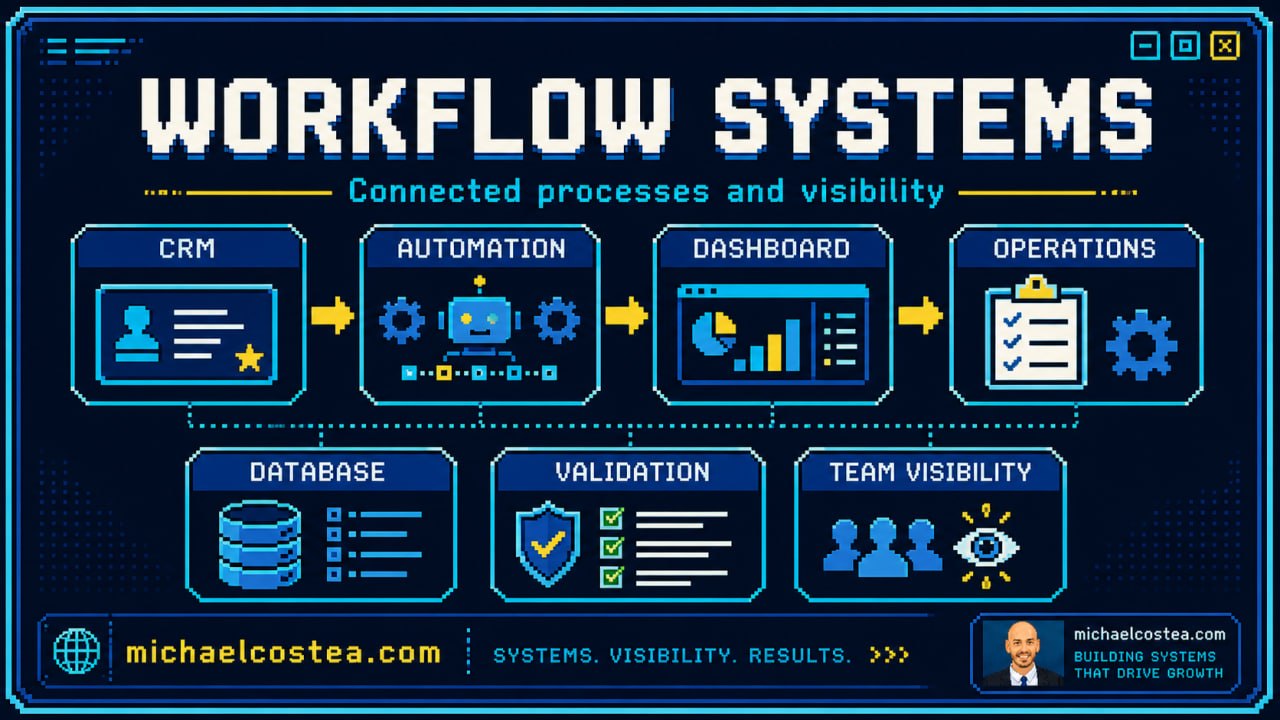








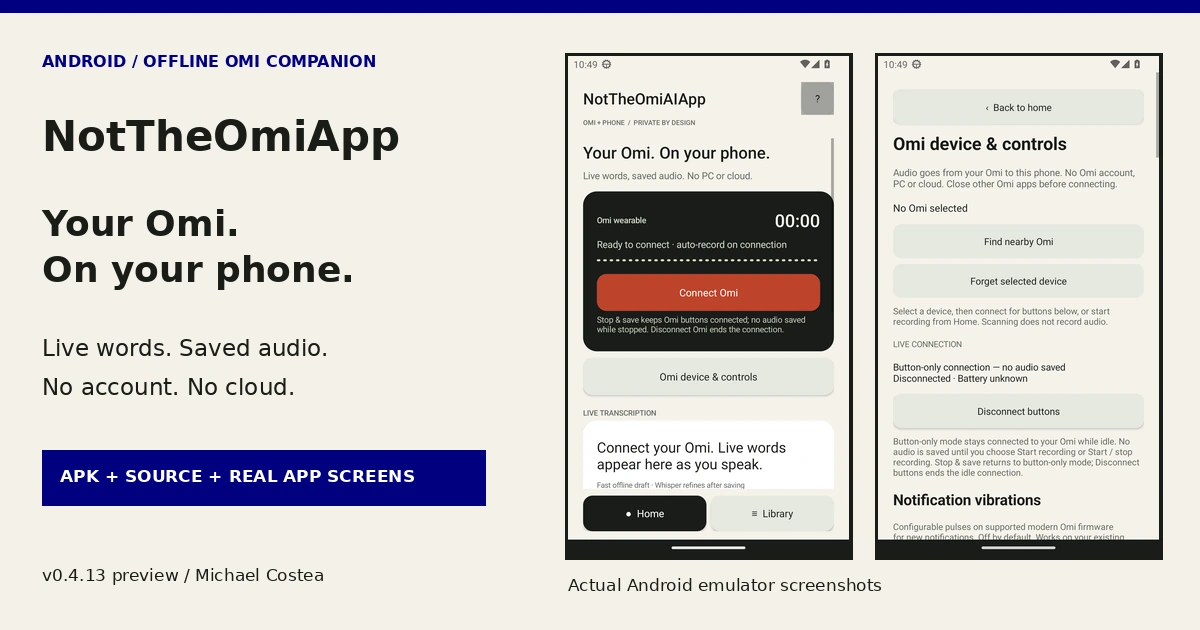



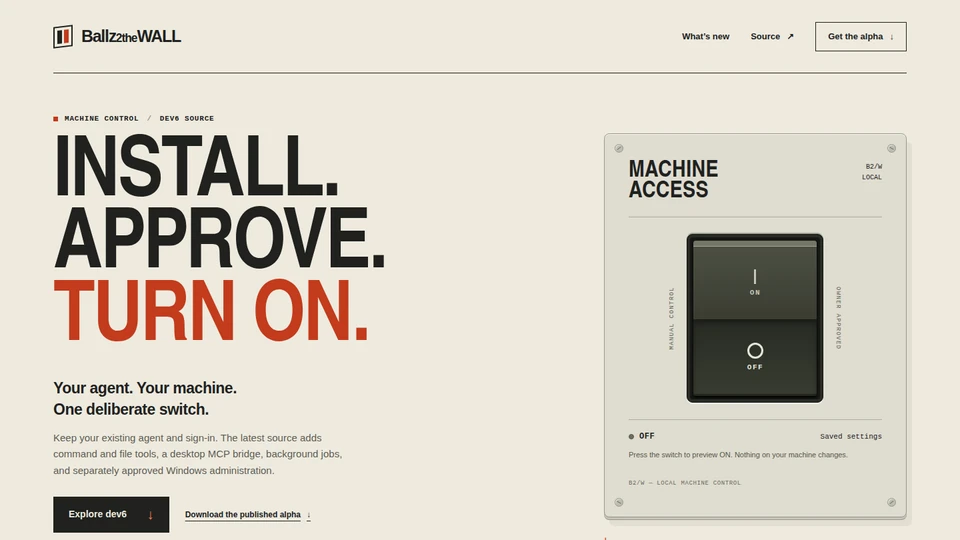
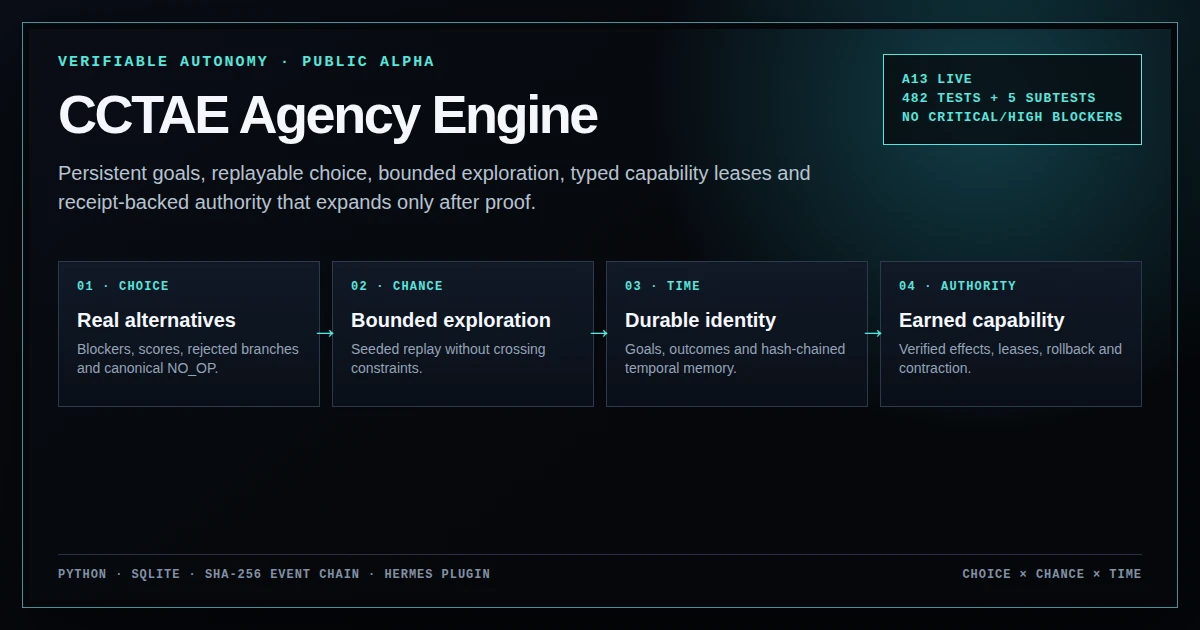
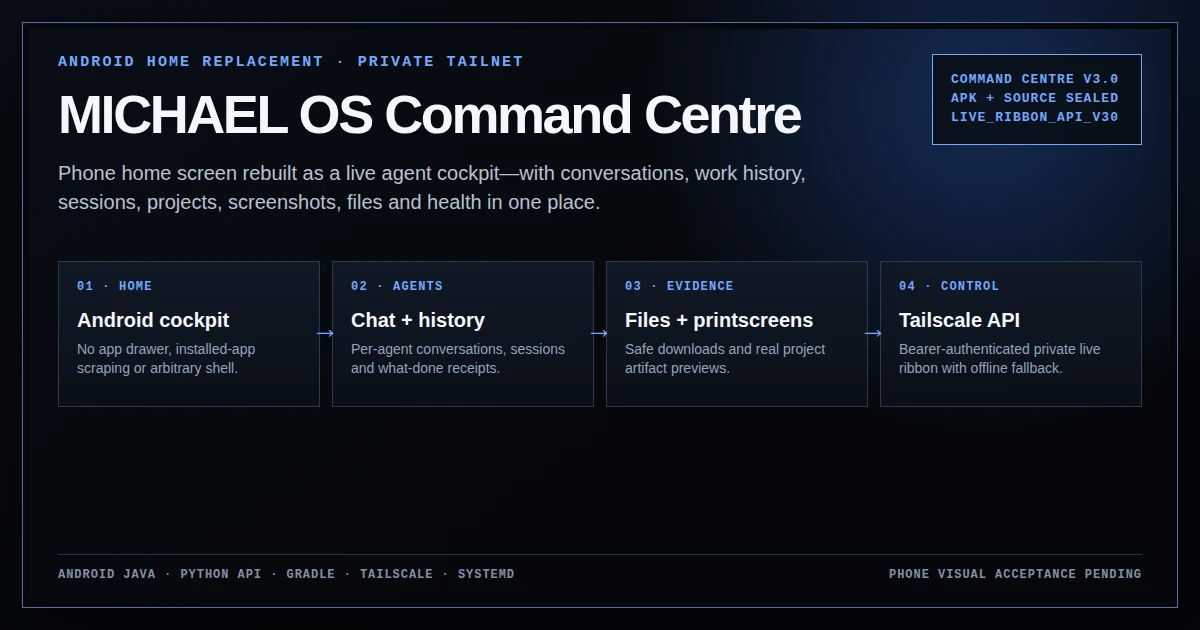
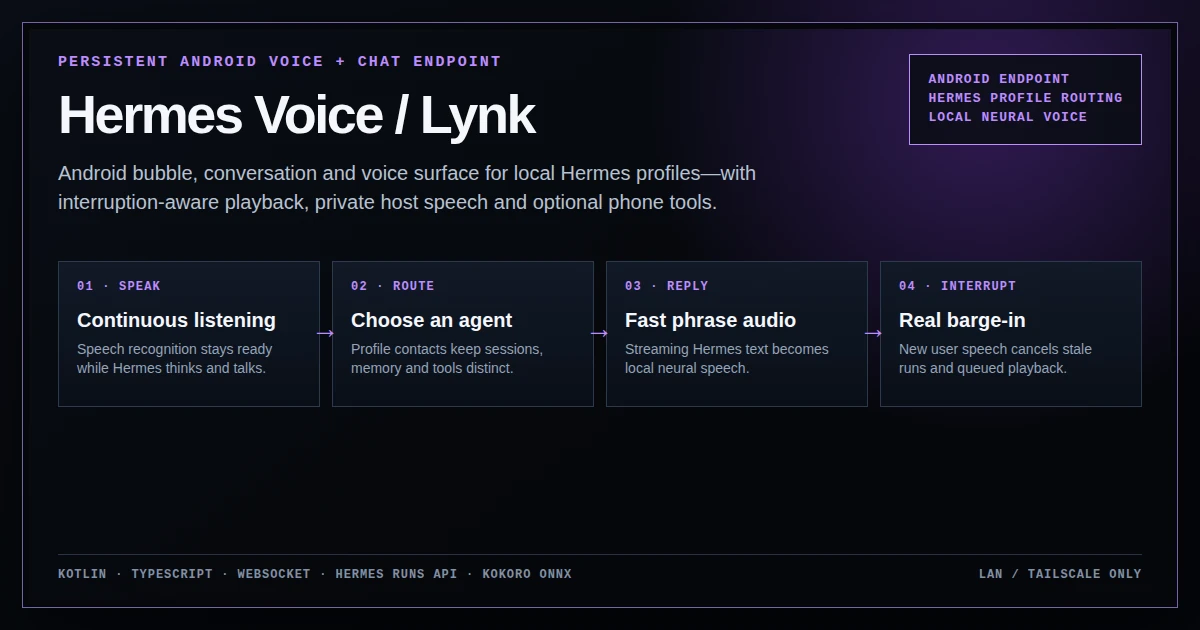
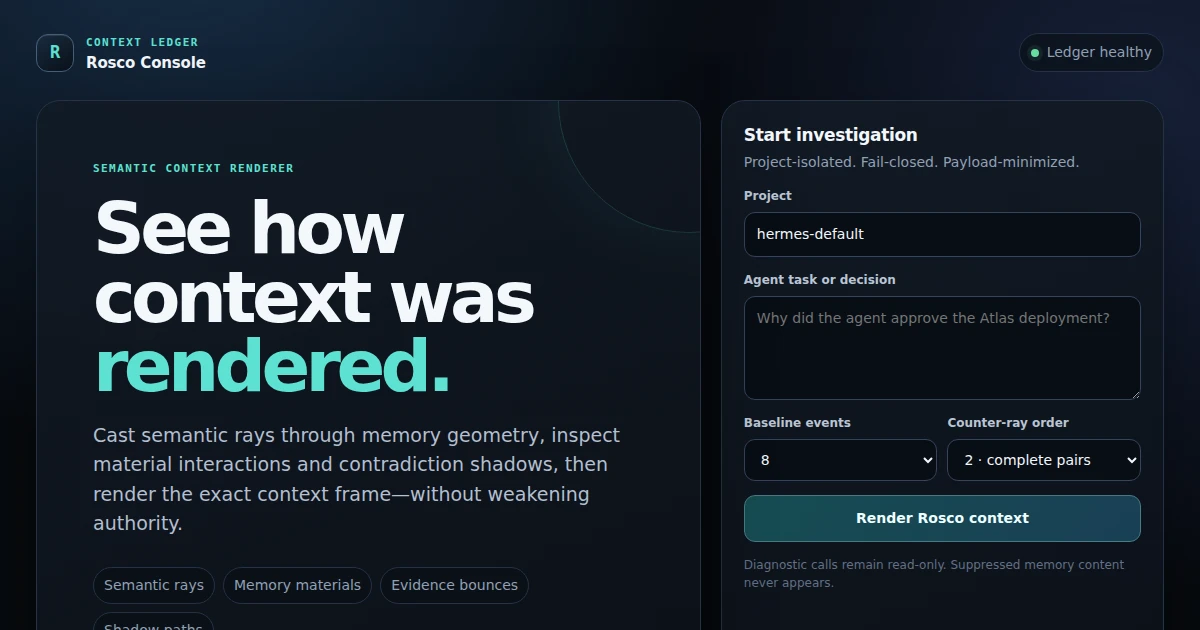
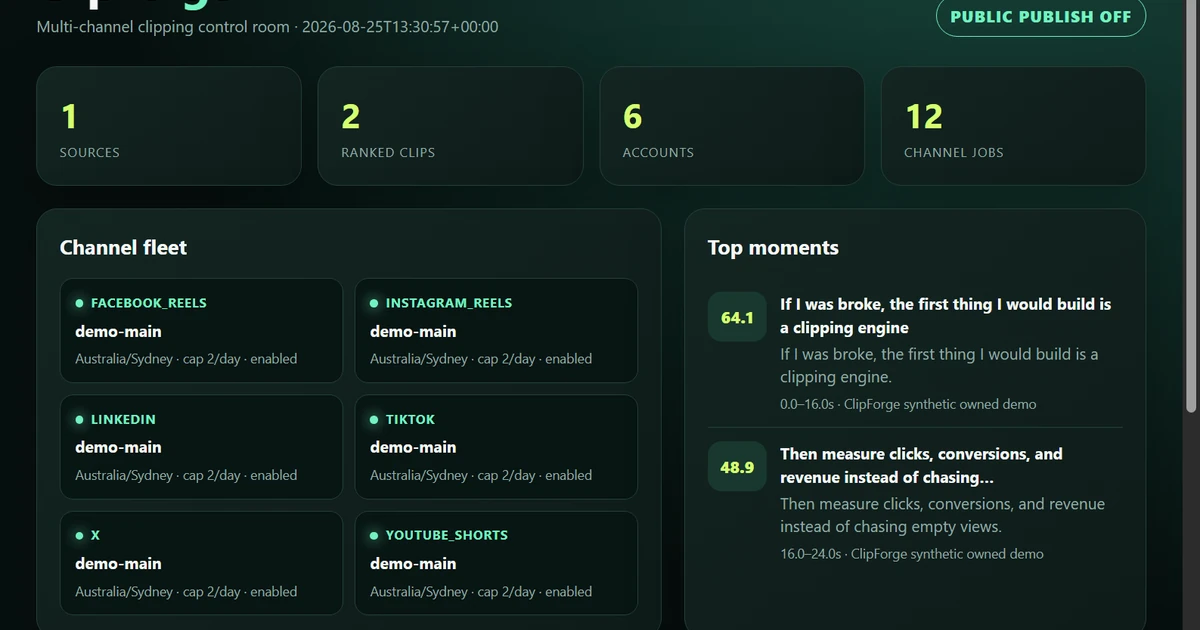
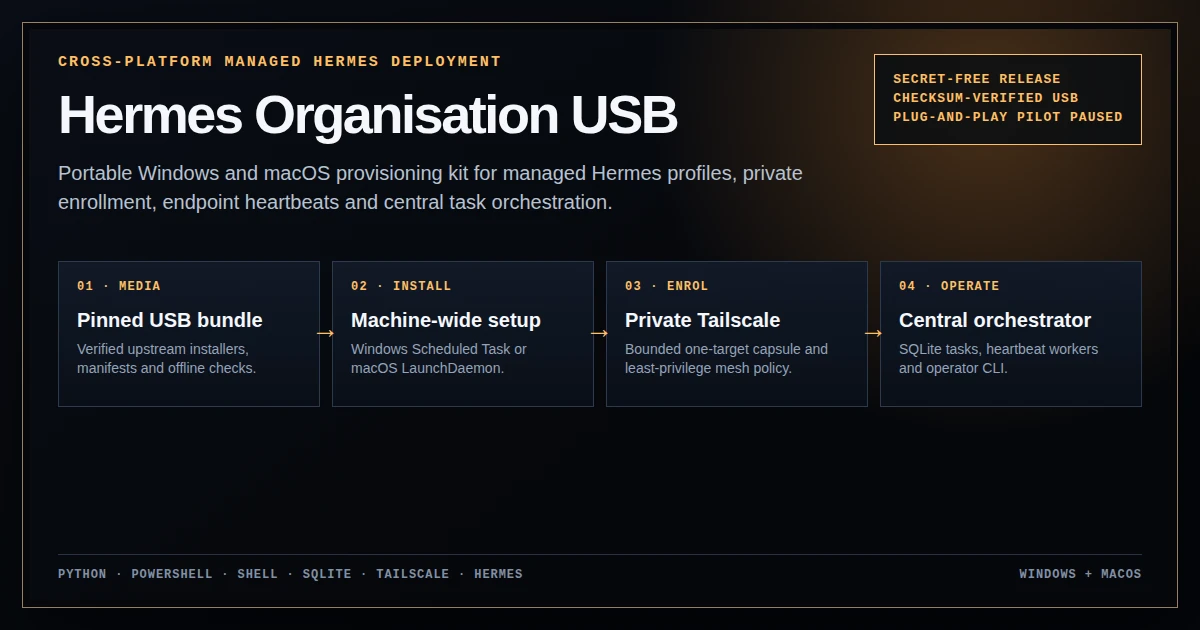
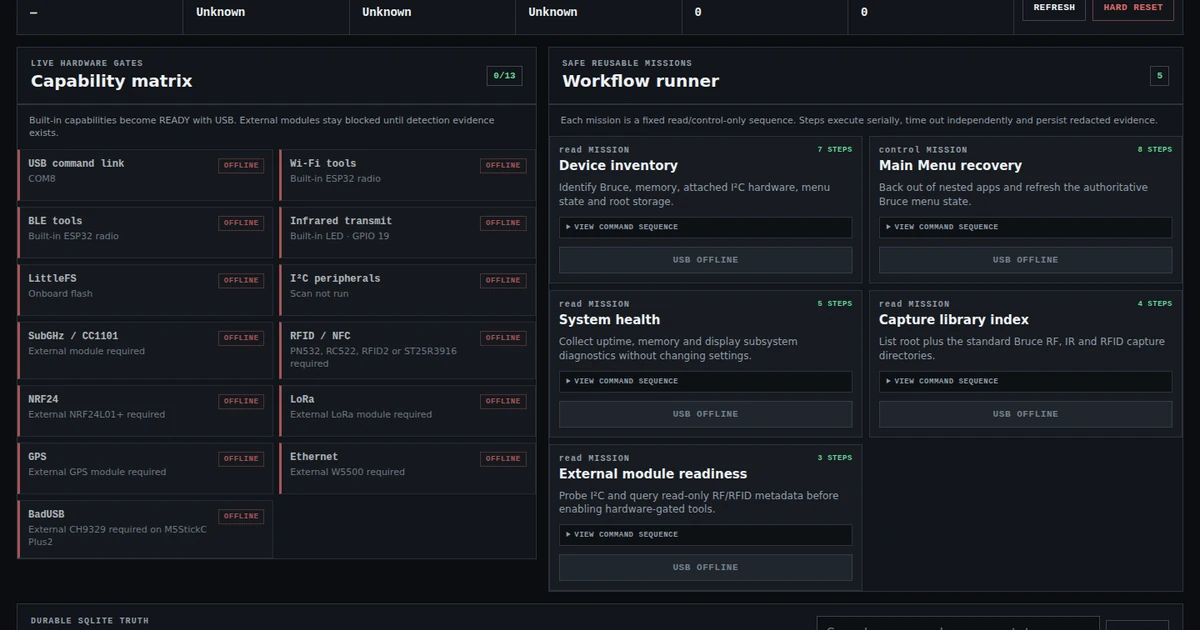
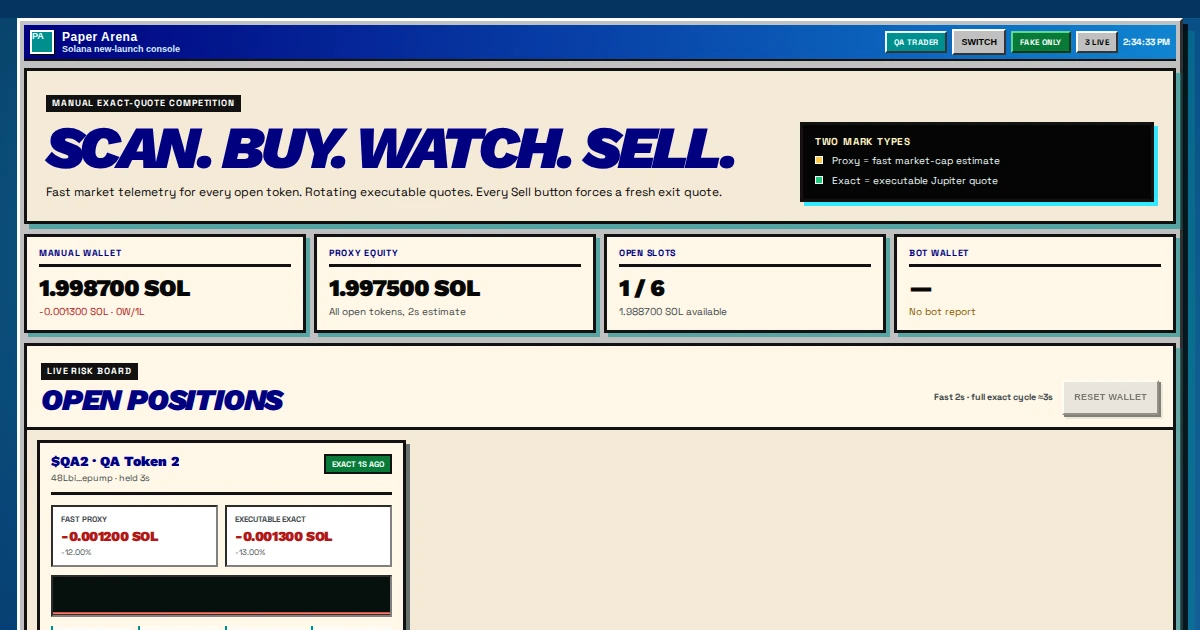
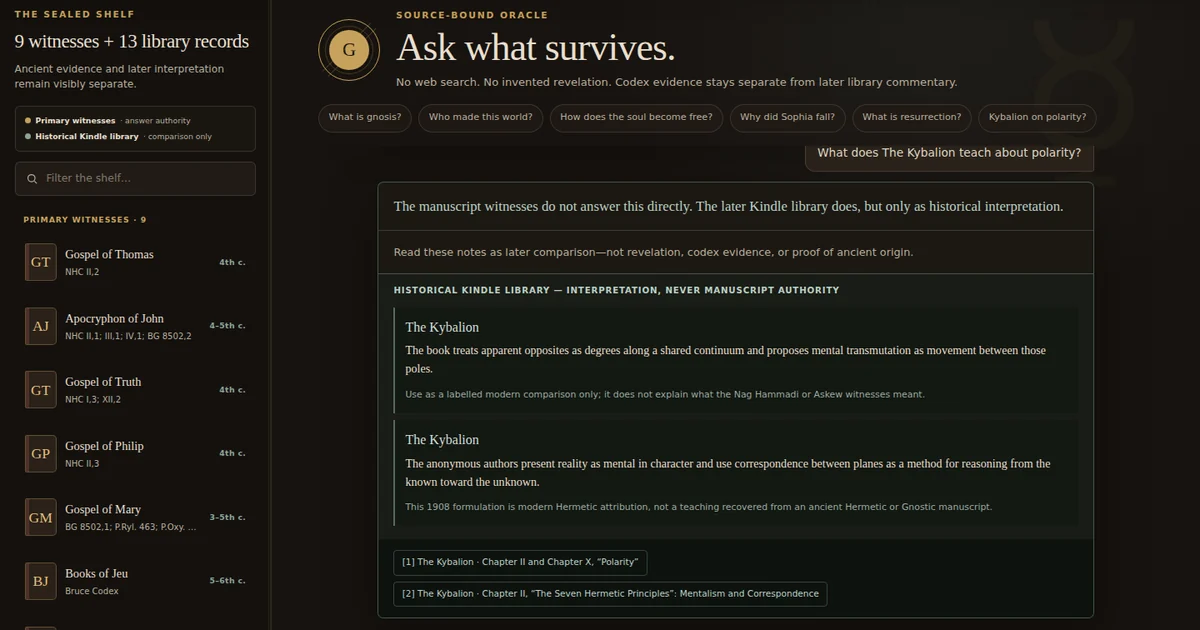
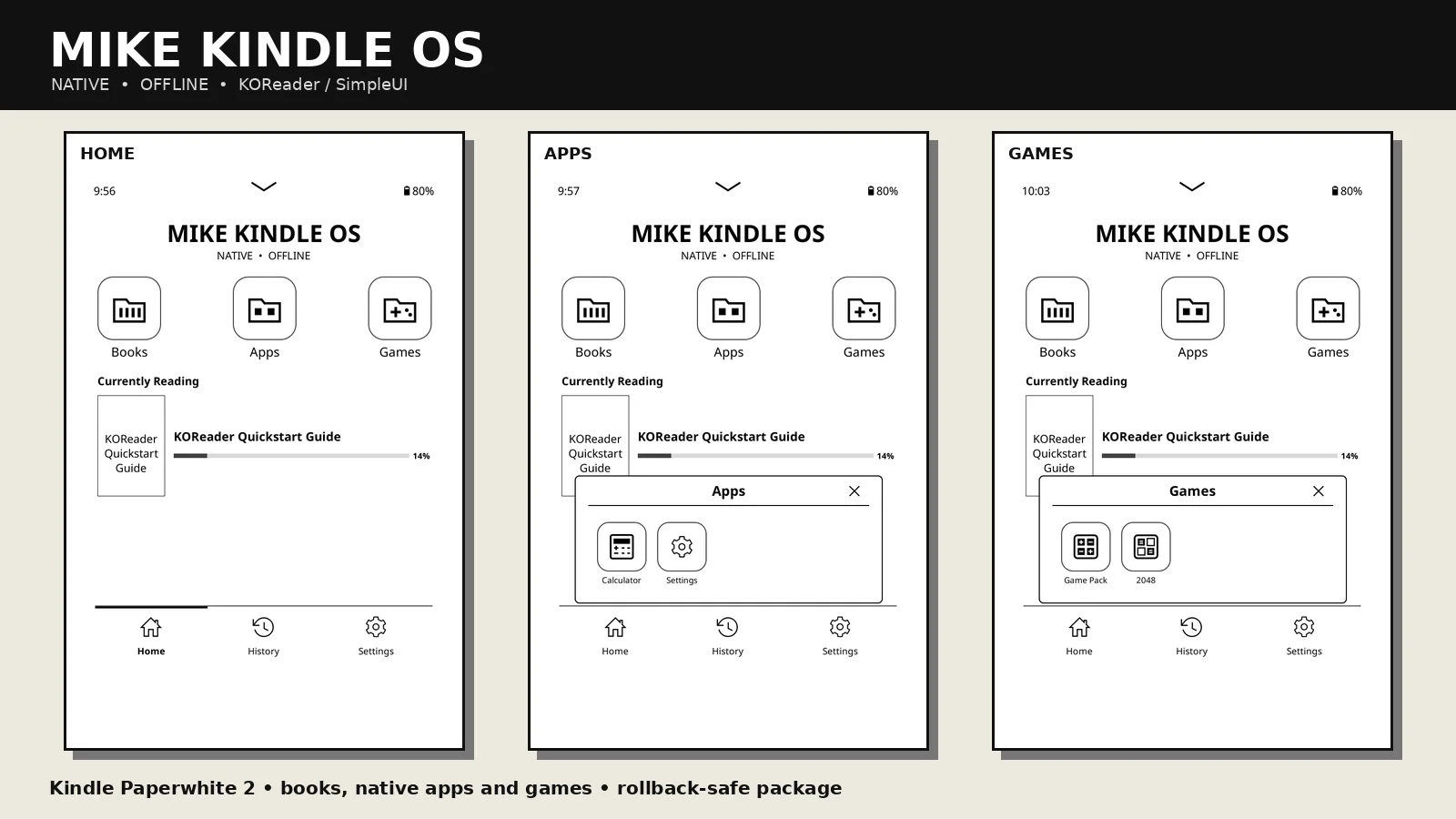
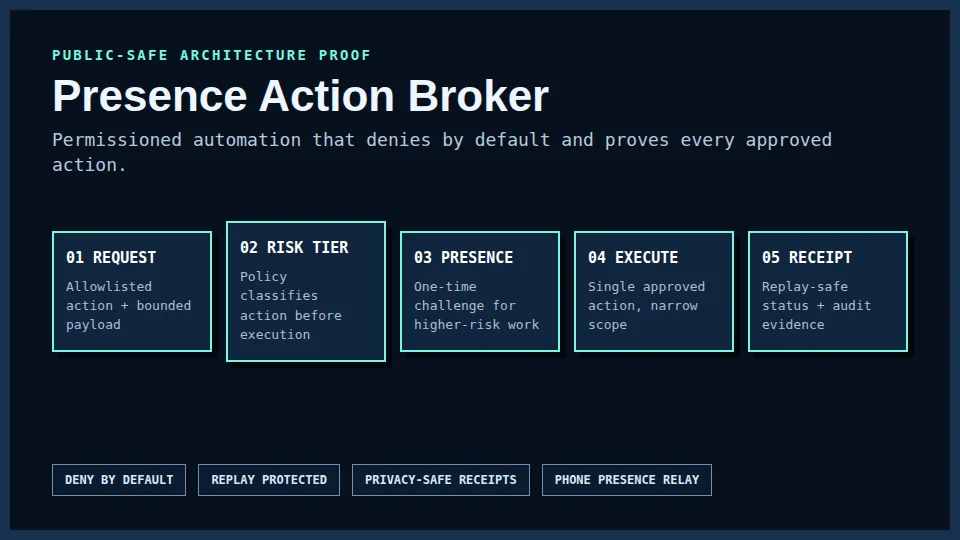
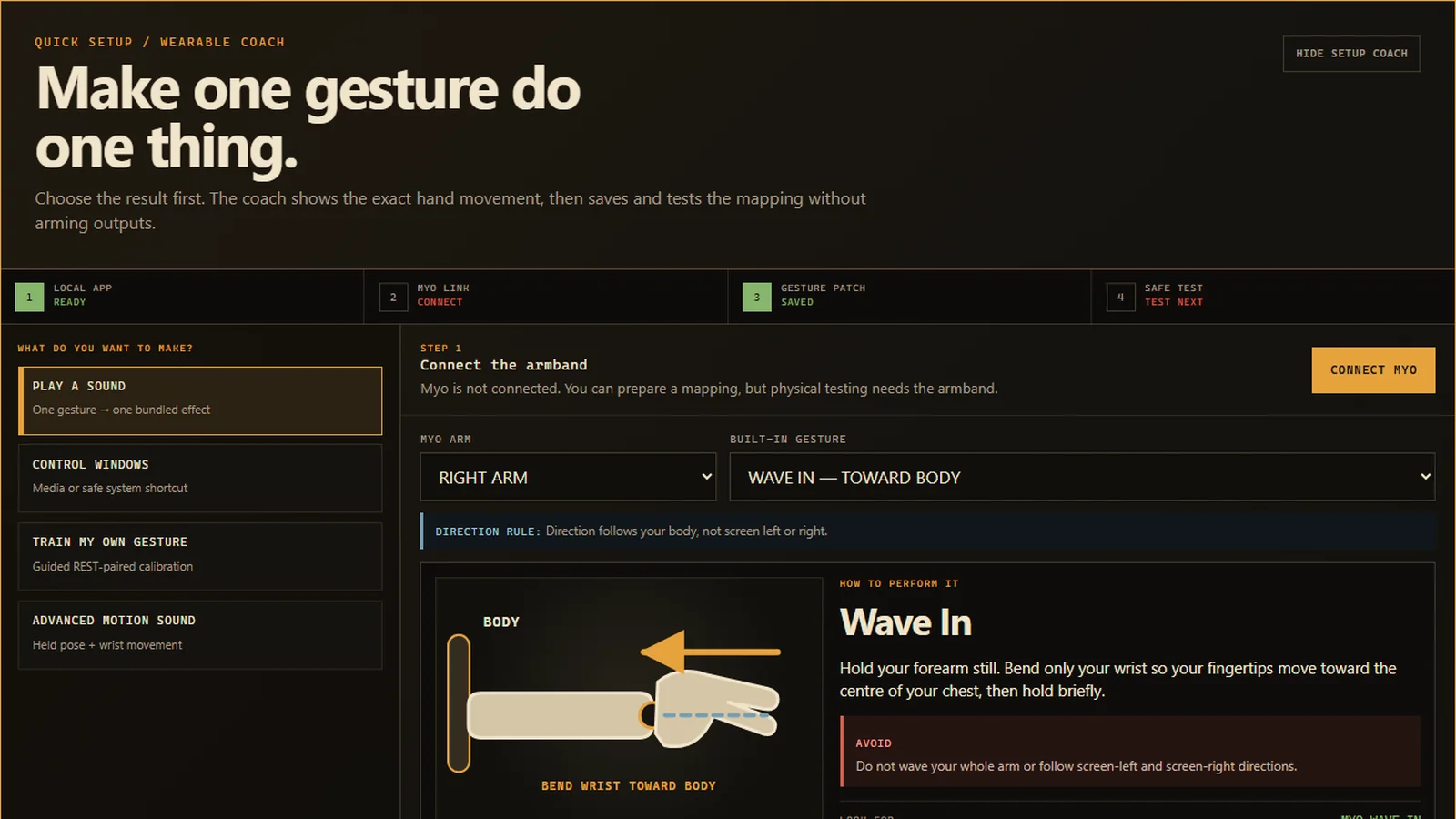
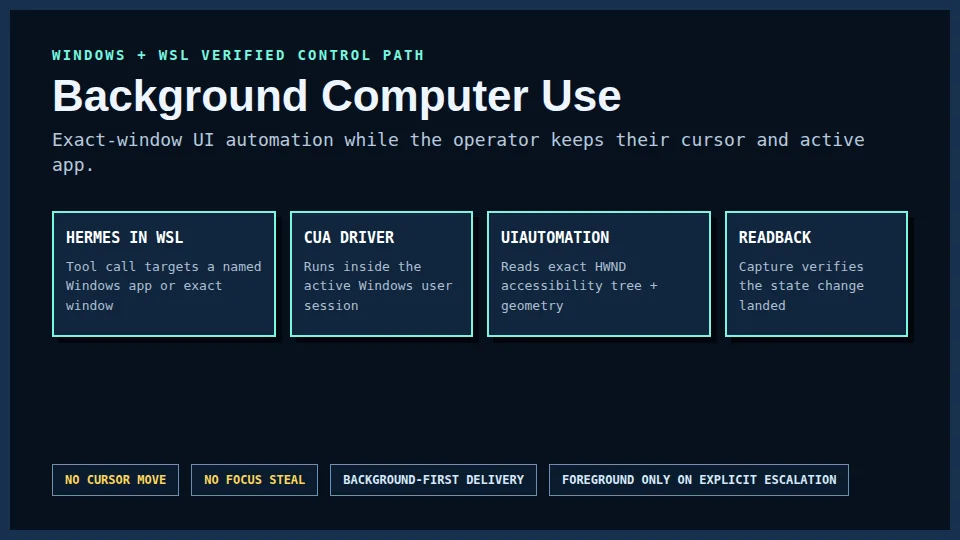
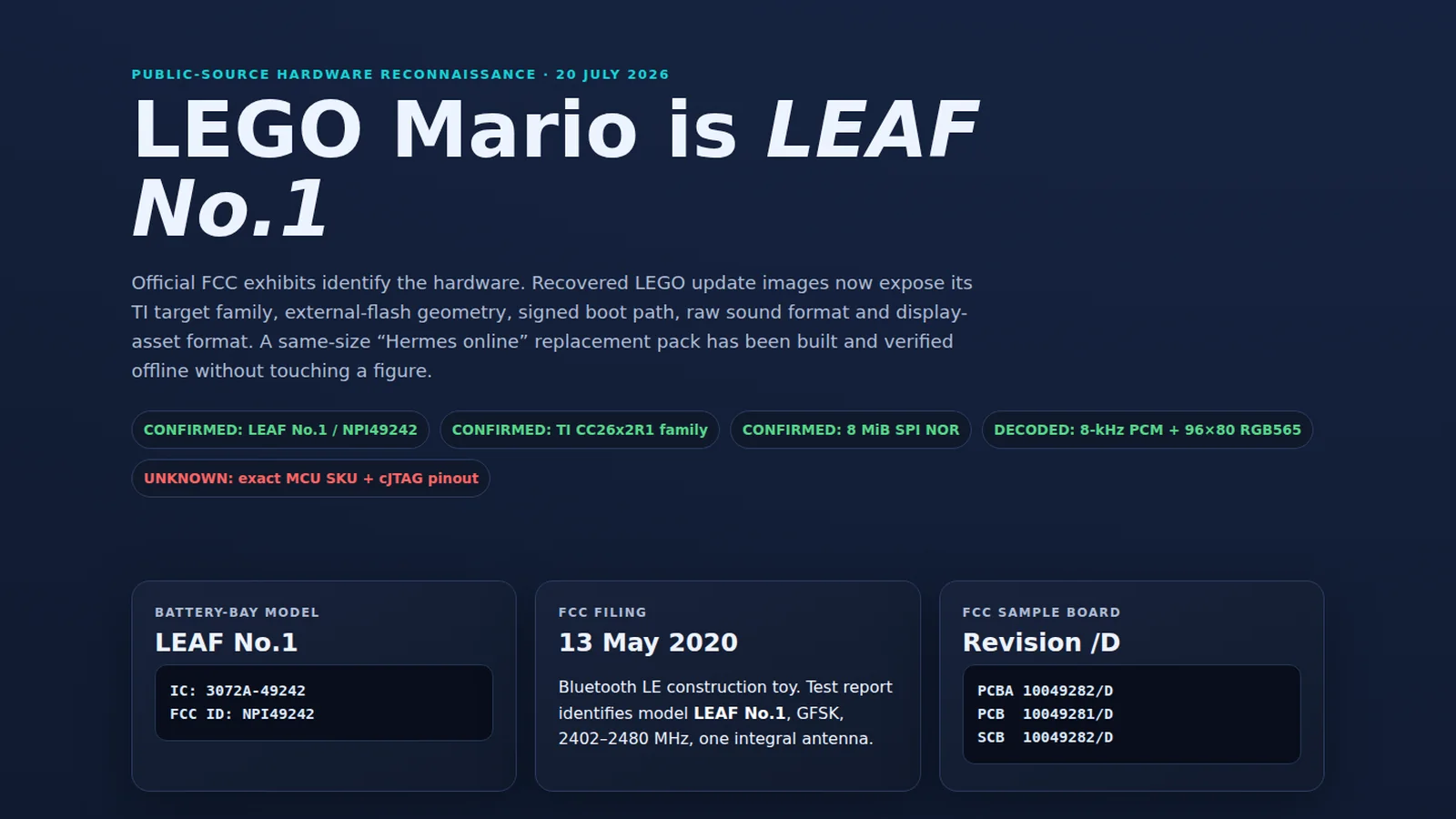
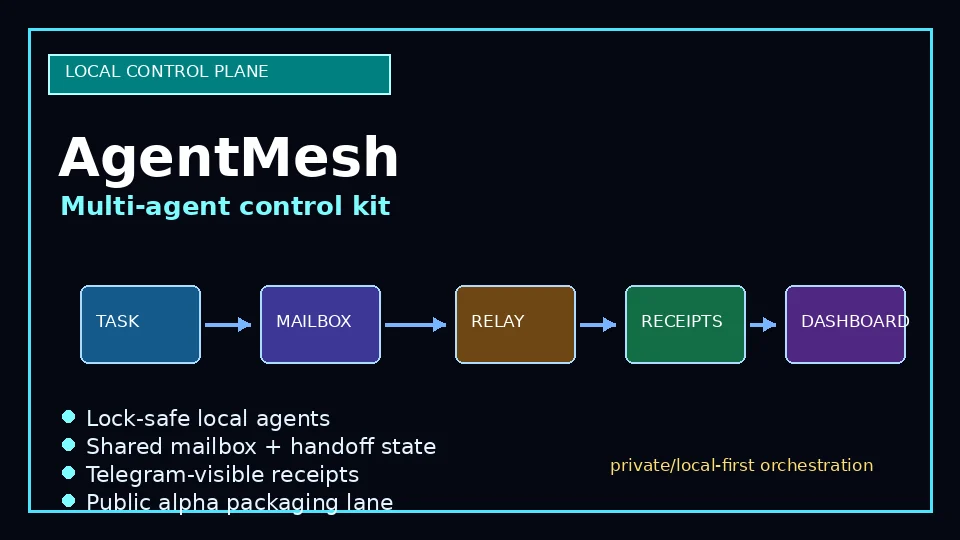
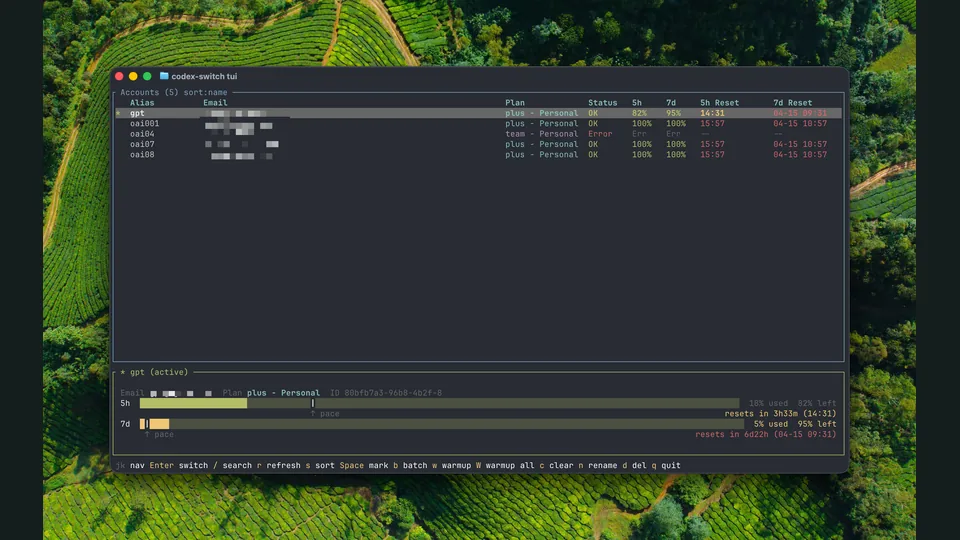
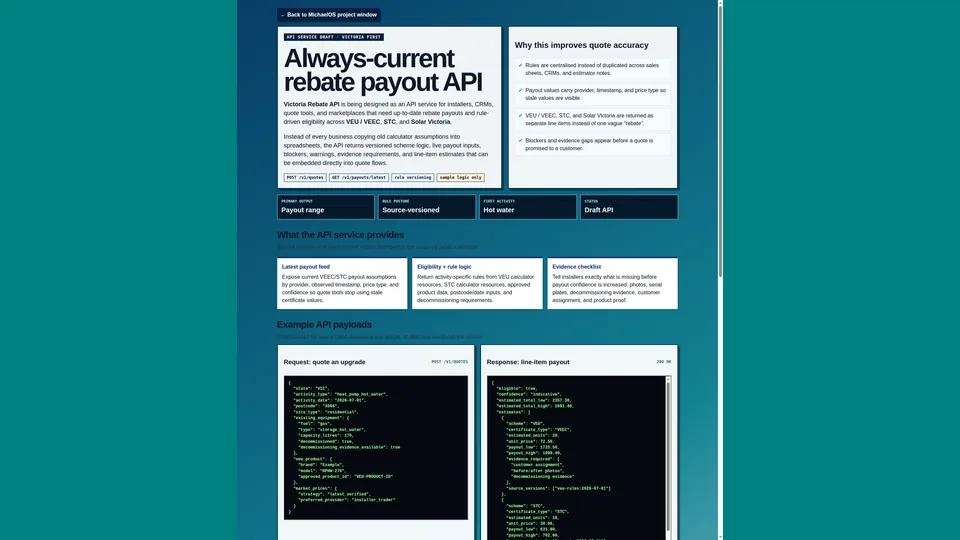
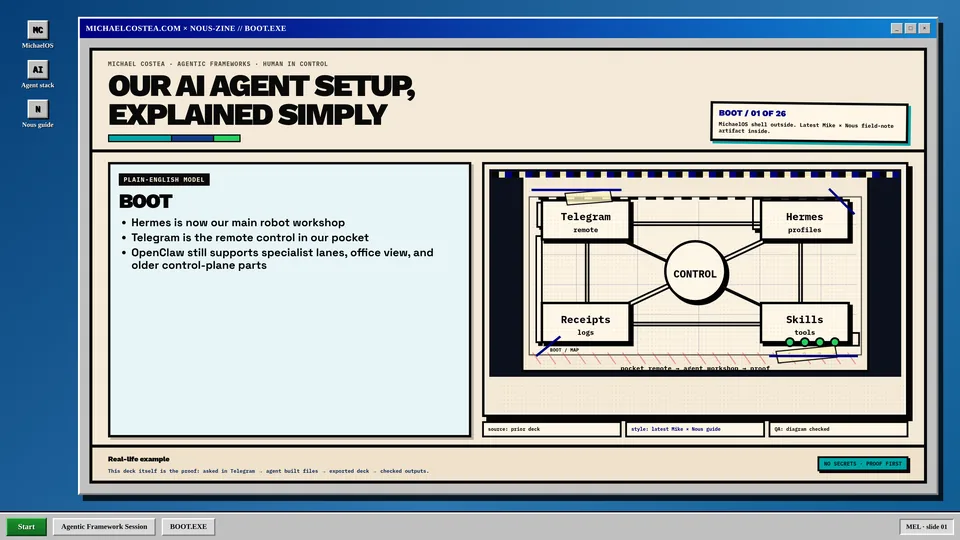
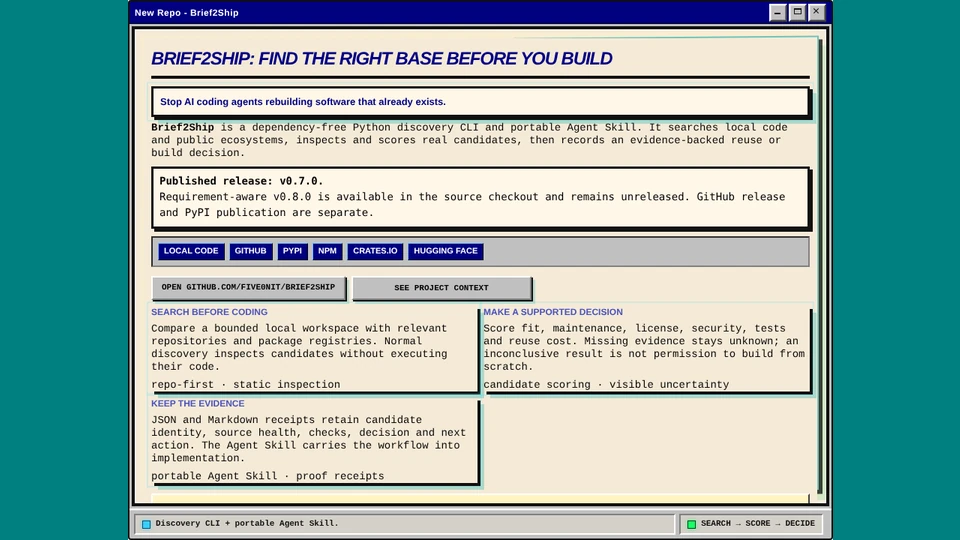
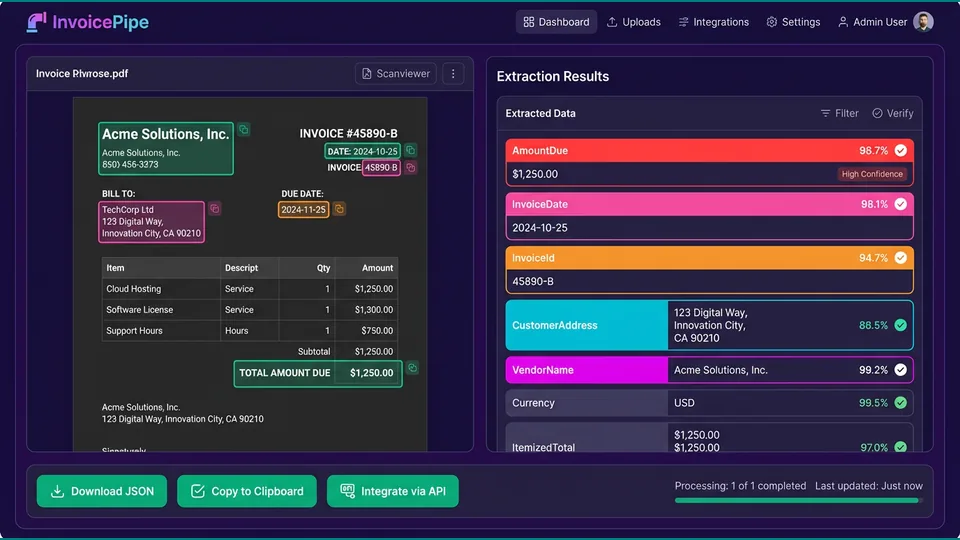
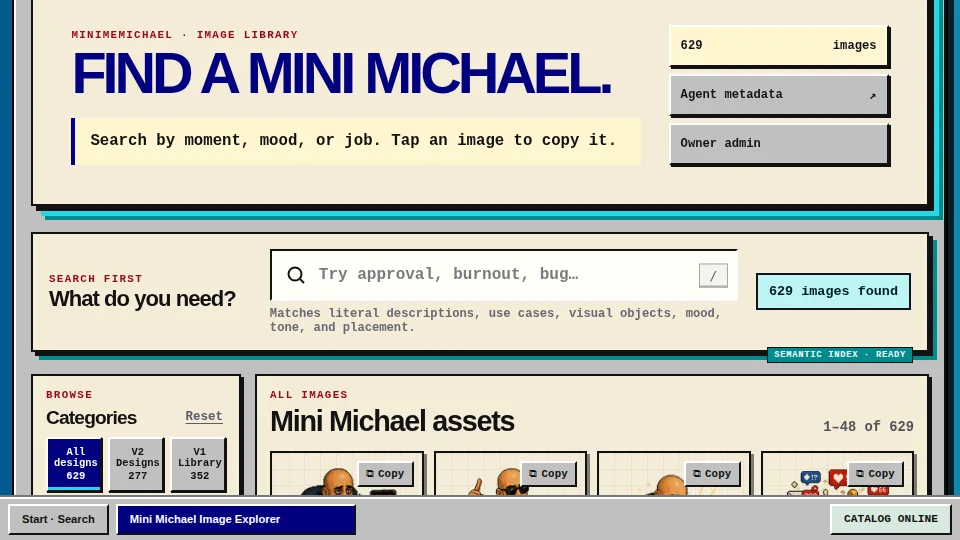

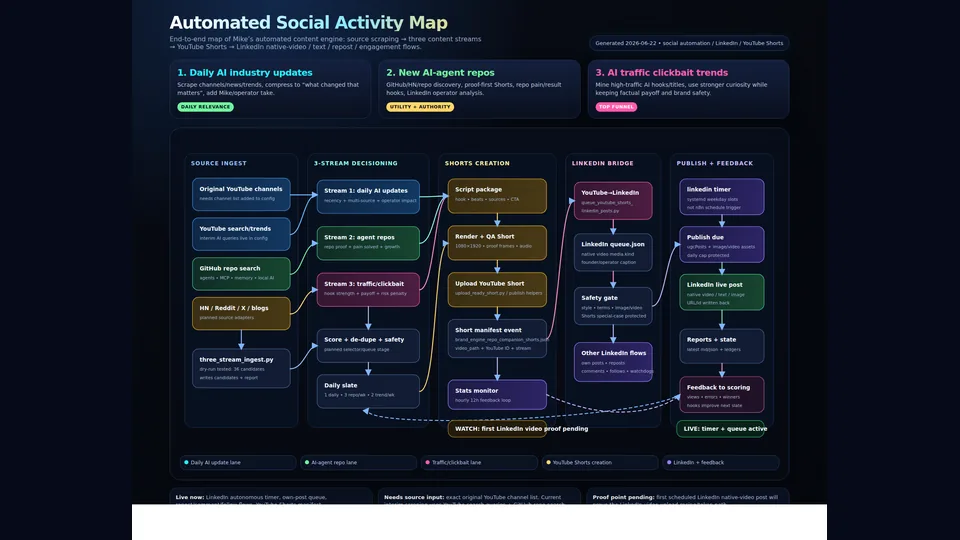
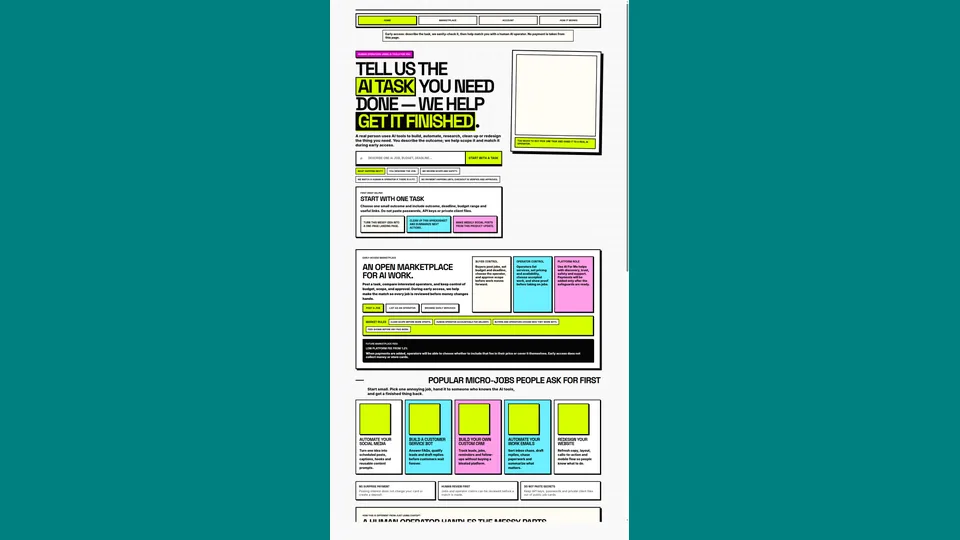
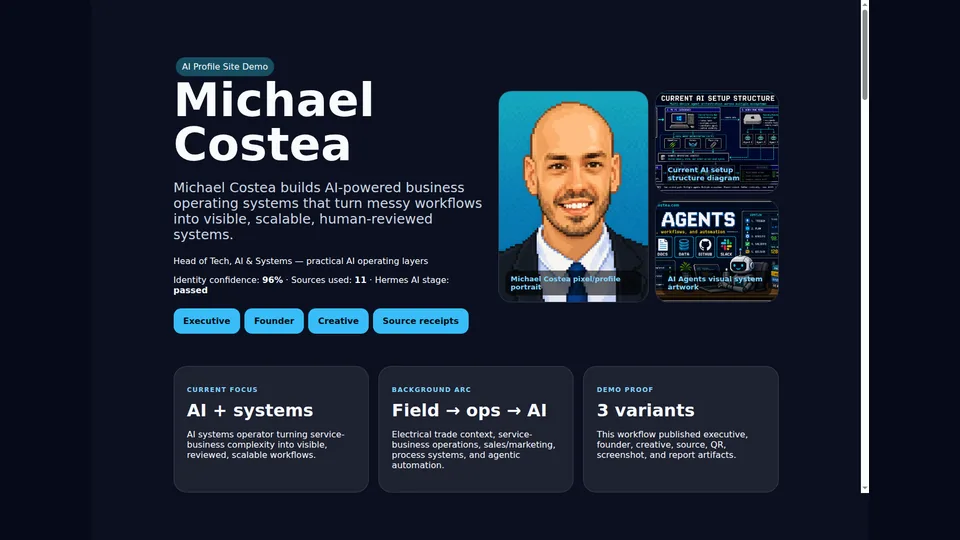
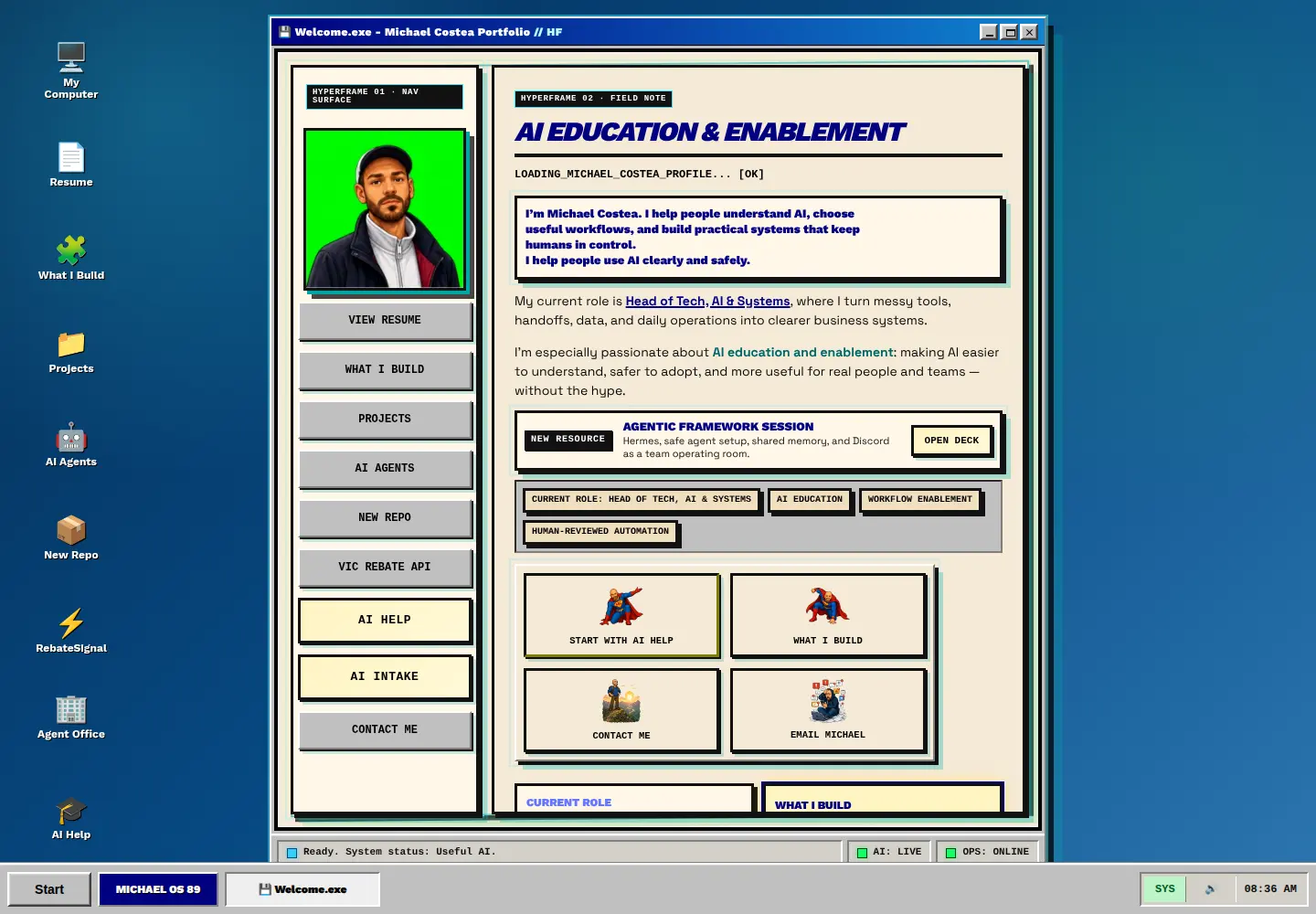


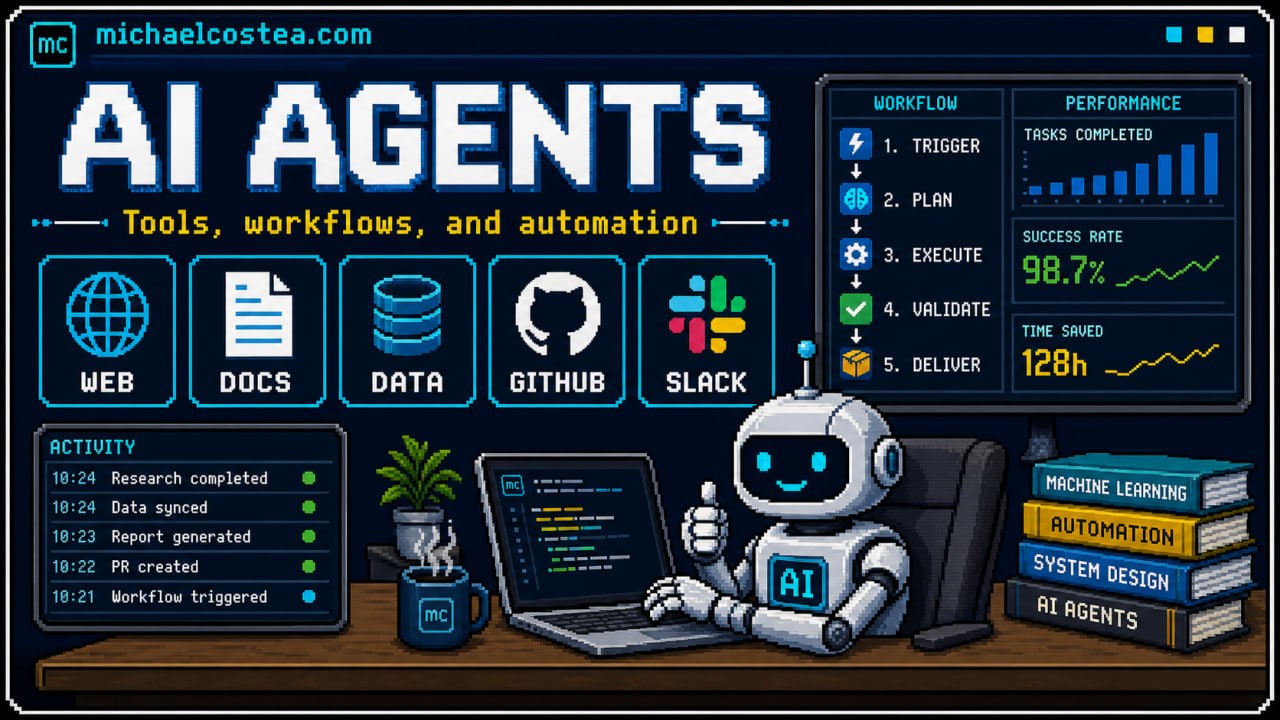




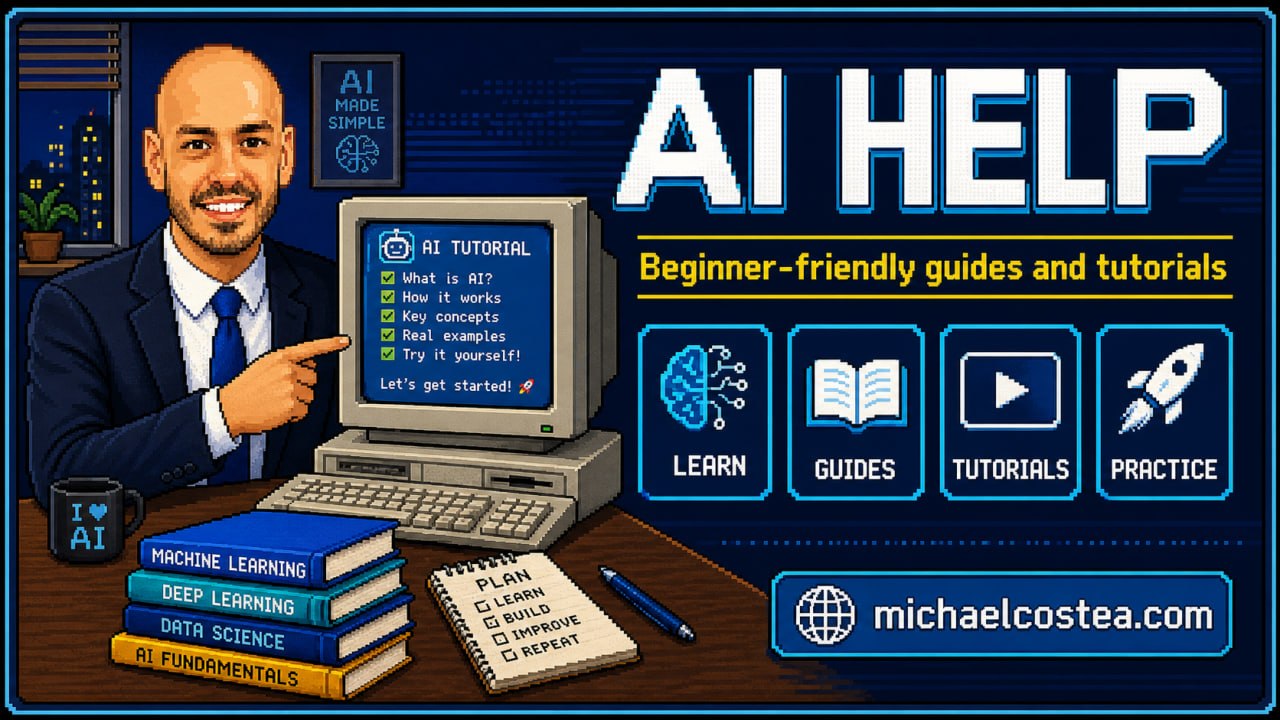
 Start useful: pick one repeated task, test with harmless data, and keep humans approving anything risky.